
If you’ve ever exported a video and wondered why the file was huge, blurry, pixelated, or looked different from the original footage, the answer often comes down to bitrate in video. Understanding bitrate is one of the most important fundamentals for photographers, videographers, YouTubers, and content creators because it directly impacts video quality, file size, upload speed, and playback performance.
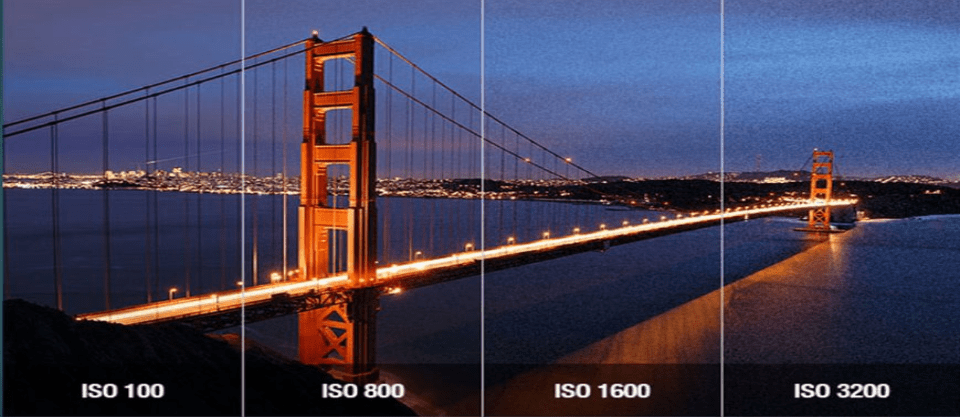
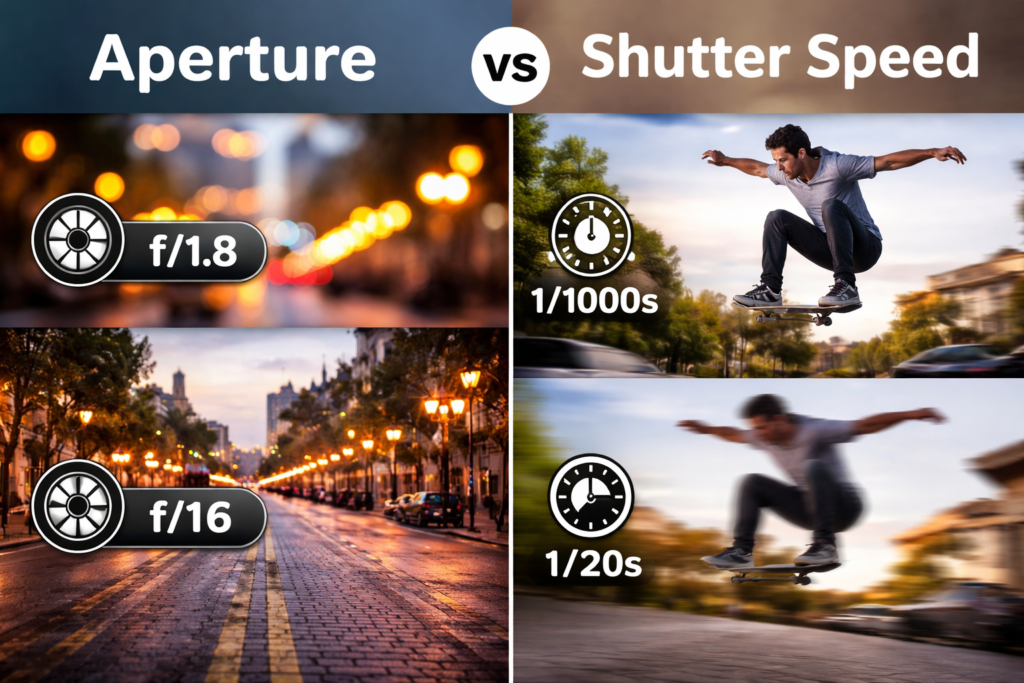
Many beginners spend hours learning camera settings like shutter speed, aperture, and ISO, but completely overlook bitrate. Yet bitrate is one of the key factors that determines how much visual information is preserved in a video file.
The good news is that bitrate is much easier to understand than it sounds.
In this beginner-friendly guide, you’ll learn what bitrate means, how it works, why it matters, and how to choose the right bitrate settings for different platforms and projects.
Whether you’re exporting videos for YouTube, Instagram, TikTok, client work, or personal projects, understanding bitrate in video will help you achieve better quality and avoid common mistakes.
Table of Contents
What Is Bitrate in Video?
The simplest way to understand bitrate is this:
Bitrate is the amount of data used every second to store or stream a video.
Think of bitrate as a water pipe.
- A small pipe carries less water.
- A large pipe carries more water.
Similarly:
- Low bitrate carries less video information.
- High bitrate carries more video information.
The more information a video contains, the better its visual quality can be.
Bitrate is typically measured in:
- Kbps (Kilobits per second)
- Mbps (Megabits per second)
For example:
- 5 Mbps = 5 million bits of data every second
- 50 Mbps = 50 million bits of data every second
A higher bitrate generally means:
- Better image quality
- More detail
- Less compression
- Larger file sizes
- Longer upload times
Why Bitrate Matters
Bitrate affects nearly every aspect of video creation:
Video Quality
Higher bitrate preserves:
- Fine details
- Textures
- Color information
- Motion clarity
File Size
Higher bitrate creates larger files.
Streaming Performance
Lower bitrate streams faster but may reduce quality.
Editing Flexibility
Higher bitrate footage often performs better during color grading and editing.
How Bitrate Works
To understand bitrate in video properly, let’s look at what happens when your camera records video.
Step 1: Camera Captures Information
When recording video, your camera captures:
- Light
- Colors
- Movement
- Texture
- Detail
Every frame contains a huge amount of data.
Step 2: Compression Reduces Data
Video files would be enormous if every bit of information were stored.
That’s why cameras compress footage.
Compression removes some information while attempting to preserve visual quality.
Step 3: Bitrate Determines How Much Data Is Kept
This is where bitrate becomes important.
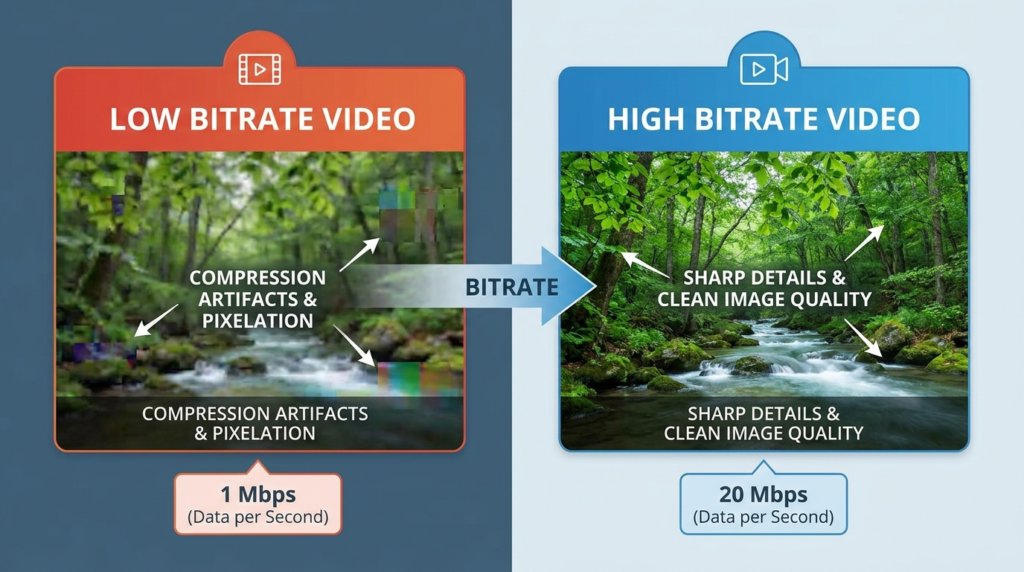
Higher bitrate:
- Keeps more detail
- Reduces visible compression
- Improves image quality
Lower bitrate:
- Removes more information
- Creates smaller files
- Can introduce artifacts
Example
Imagine filming:
- Waterfalls
- Trees blowing in the wind
- Busy city traffic
These scenes contain lots of motion and detail.
A low bitrate may struggle to preserve everything.
A higher bitrate maintains more clarity.
Types of Video Bitrate
There are three main bitrate methods used in video production.
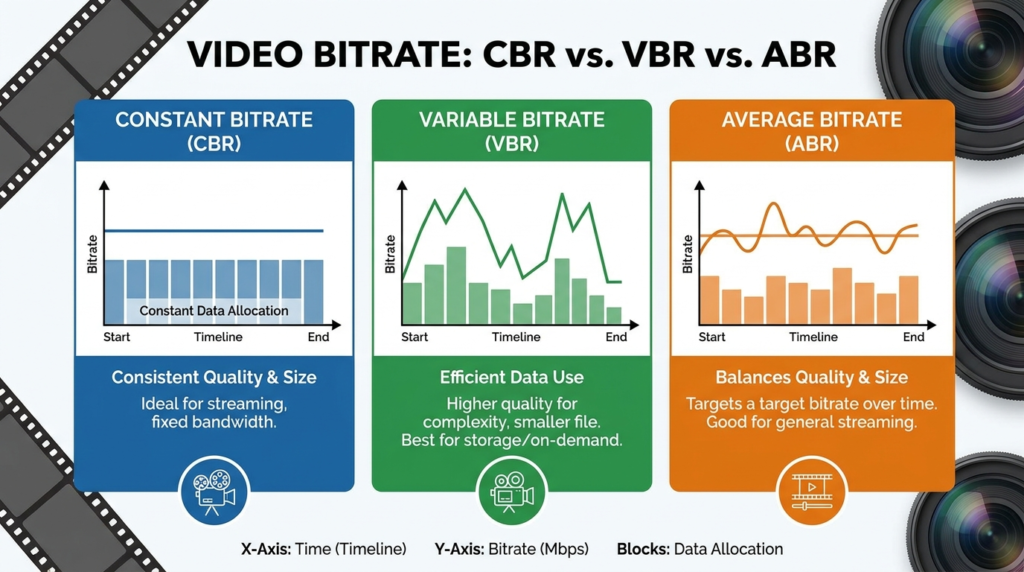
Constant Bitrate (CBR)
CBR uses the same bitrate throughout the entire video.
Example:
20 Mbps from start to finish.
Advantages:
- Predictable file sizes
- Consistent streaming
Disadvantages:
- Wastes data during simple scenes
- Less efficient
Variable Bitrate (VBR)
VBR adjusts the bitrate depending on scene complexity.
Example:
- Simple scene = 10 Mbps
- Complex scene = 40 Mbps
Advantages:
- Better quality
- Smaller file size
- More efficient
This is the most common export method.
Average Bitrate (ABR)
ABR aims for a target average bitrate.
It combines the benefits from both CBR and VBR.
Bitrate vs Resolution
Many beginners assume resolution determines quality.
This is only partially true.
Resolution
Resolution refers to:
- 1080p
- 1440p
- 4K
- 8K
Resolution determines pixel count.
Bitrate
Bitrate determines how much information those pixels contain.
Example
Imagine two videos:
Video A
- Resolution: 4K
- Bitrate: 10 Mbps
Video B
- Resolution: 1080p
- Bitrate: 50 Mbps
In many situations, Video B may actually look better.
Why?
Because it contains more image data despite having fewer pixels.
Key Takeaway
- Resolution determines size.
- Bitrate determines quality.
- Both work together.
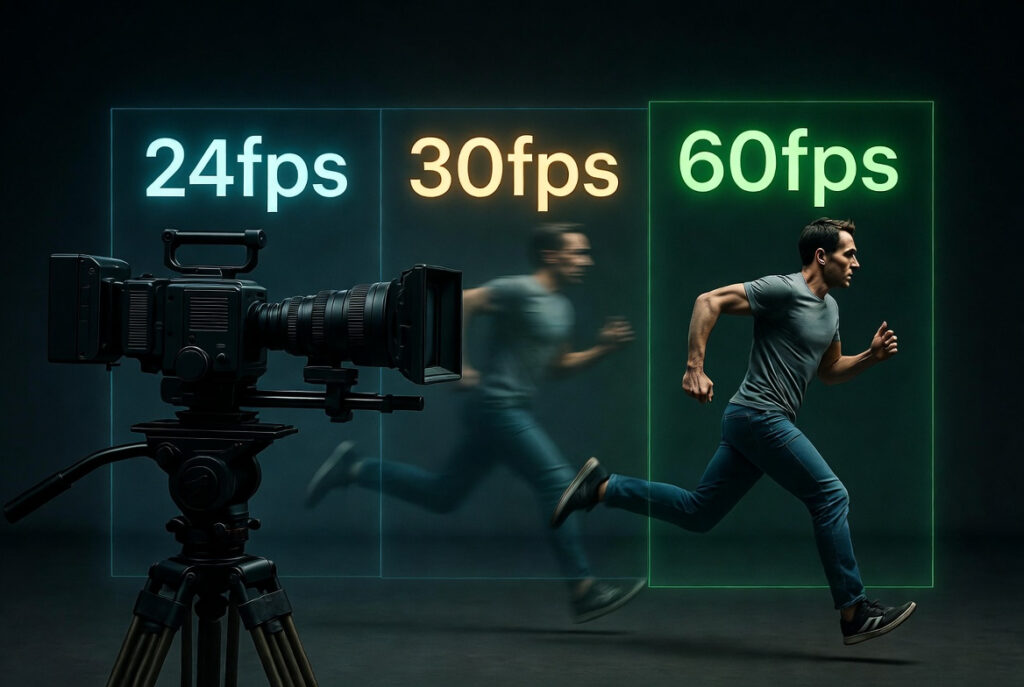
Bitrate vs Frame Rate
Another common confusion is bitrate versus frame rate.
Frame Rate
Frame rate determines motion smoothness.
Examples:
- 24fps
- 30fps
- 60fps
- 120fps
Bitrate
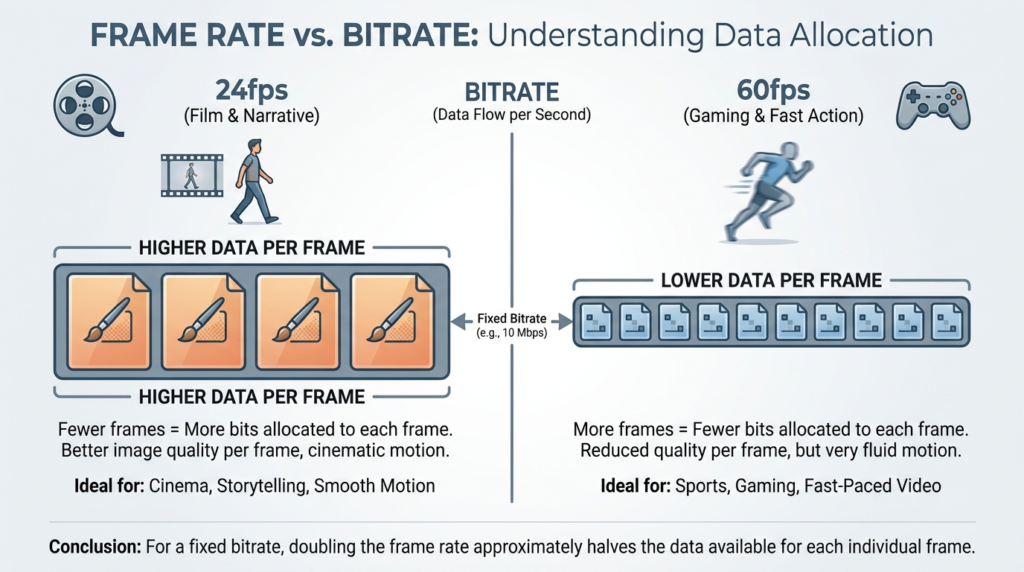
Bitrate determines how much data is allocated to those frames.
Example
24fps at 10 Mbps: Each frame receives more data.
60fps at 10 Mbps: Each frame receives less data.
This can reduce image quality. That’s why higher frame rates often require higher bitrates.
Practical Examples of Bitrate
Let’s look at real-world scenarios.
YouTube Videos
Recommended bitrates:
1080p 30fps
- 8–12 Mbps
1080p 60fps
- 12–20 Mbps
4K 30fps
- 35–45 Mbps
4K 60fps
- 53–68 Mbps
These settings provide a good balance between quality and file size.
Instagram Reels
Instagram heavily compresses videos.
Export recommendations:
- 1080×1920
- 8–10 Mbps
Higher bitrates usually provide little benefit because Instagram recompresses uploads.
TikTok Videos
Recommended:
- 8–15 Mbps
- H.264 codec
Client Deliverables
For professional delivery:
- 50 Mbps+
- High-quality codec
- Maximum image preservation
Wedding Films
Many wedding videographers export:
- 25–50 Mbps
to maintain quality during long sequences.
Common Mistakes Beginners Make
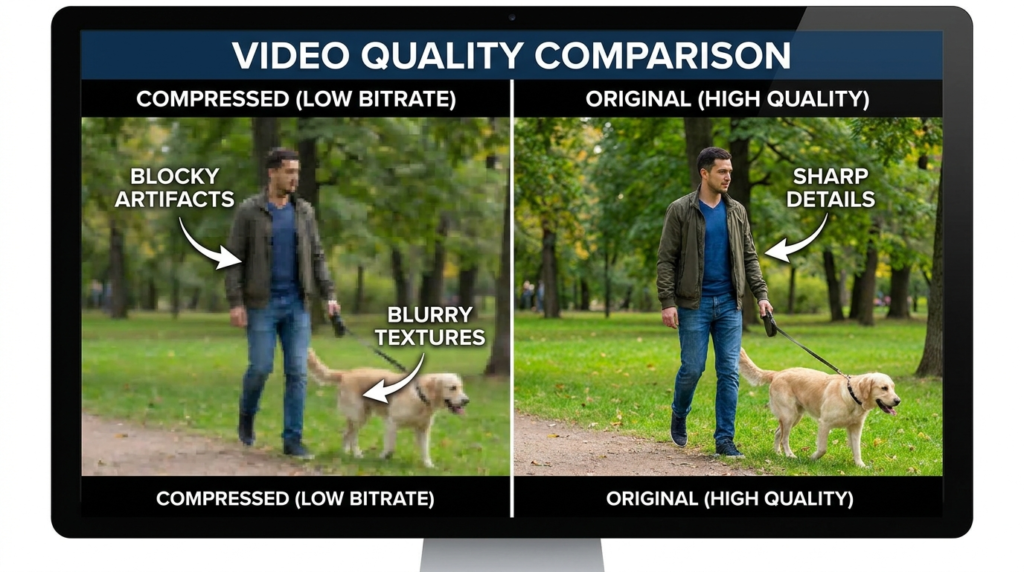
Exporting at Extremely Low Bitrates
Low bitrates often create:
- Blocky footage
- Compression artifacts
- Blurry details
Exporting Everything at Maximum Bitrate
Higher isn’t always better.
Problems include:
- Massive file sizes
- Slow uploads
- Little visible improvement
Ignoring Platform Requirements
Every platform compresses videos differently.
YouTube, Instagram, and TikTok each have unique workflows.
Using High Resolution with Low Bitrate
4K footage needs a sufficient bitrate.
Otherwise:
- Image quality suffers
- Compression becomes obvious
Confusing Camera Recording Bitrate and Export Bitrate
These are different.
Recording bitrate affects source footage.
Export bitrate affects final delivery.
Both matter.
Tips to Master Bitrate Settings
Learn Platform Requirements
Create export presets for:
- YouTube
- TikTok
- Client delivery
This saves time and improves consistency.
Prioritize Source Footage Quality
Good footage grades and exports better.
Focus on:
- Proper exposure
- Correct white balance
- Sharp focus
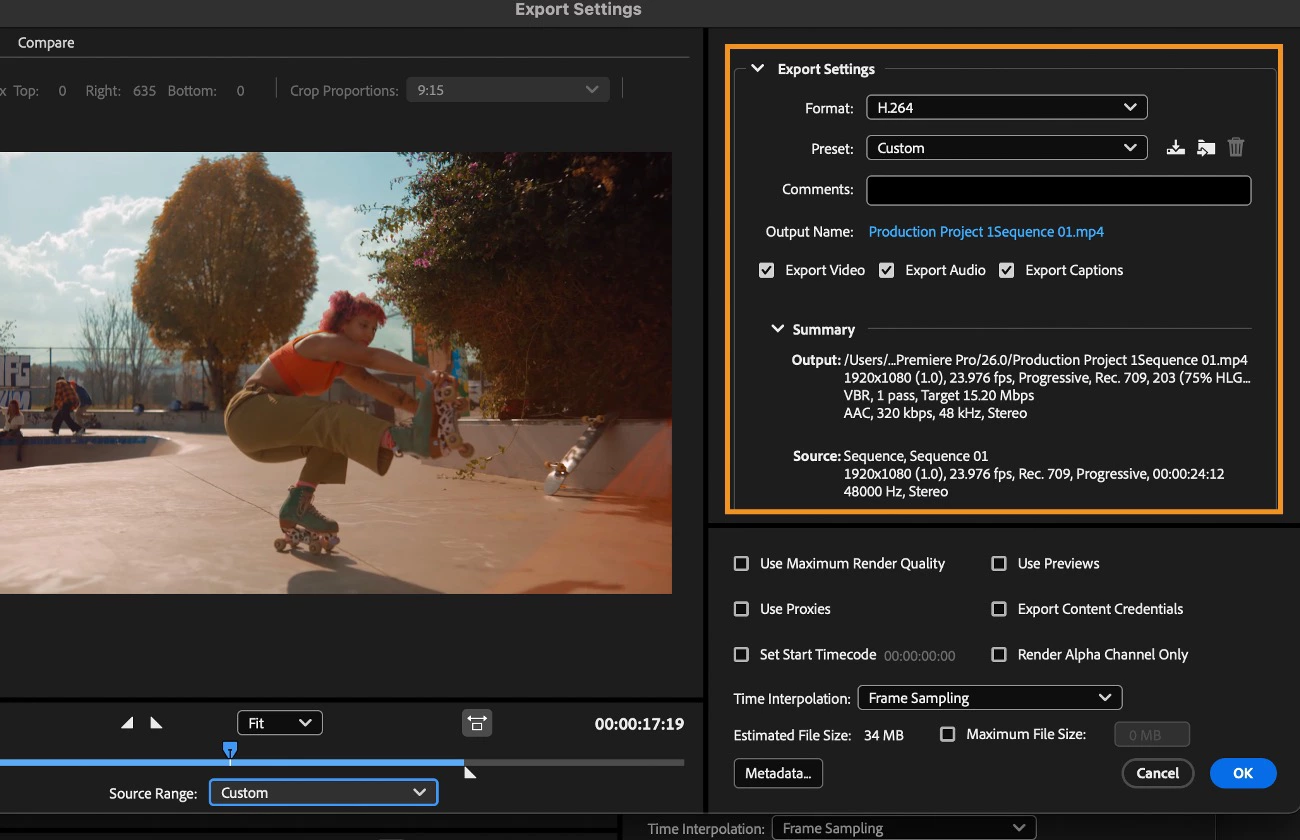
Use Variable Bitrate (VBR)
For most creators:
VBR offers the best balance between quality and file size.
Test Different Bitrates
Export the same clip using:
- 10 Mbps
- 20 Mbps
- 40 Mbps
Compare the results.
You’ll quickly learn what works best.
Consider Motion Complexity
Fast-moving footage often needs higher bitrates.
Examples:
- Sports
- Wildlife
- Action sequences
Static interviews require less.
Understand Codecs
Modern codecs improve efficiency.
Examples:
- H.264
- H.265 (HEVC)
- ProRes
Some codecs maintain quality with lower bitrates.
What is the bitrate in video?
Bitrate is the amount of data used per second in a video file. It affects video quality, file size, and streaming performance.
Does a higher bitrate mean better quality?
Generally, yes. Higher bitrate preserves more image information and detail. However, beyond a certain point, quality improvements become difficult to notice.
What bitrate should I use for YouTube?
For most content creators:
1080p: 8–12 Mbps
4K: 35–45 Mbps
These settings balance quality and file size.
Is bitrate more important than resolution?
Both matter, but a high-resolution video with an insufficient bitrate may look worse than a lower-resolution video with an adequate bitrate.
Does bitrate affect file size?
Yes. Higher bitrate creates larger files because more data is stored every second.
Internal Linking Suggestions
📚 Learn Articles
- “What Is Dynamic Range in Cameras? Simple Explanation”
- “How to Color Grade Video for a Cinematic Look (Complete Beginner to Pro Workflow)“
- “Photography Composition Rules Every Beginner Should Learn”
🎥 Gear Articles
- “Best Budget Camera for Beginners in Photography”
- “Best Lenses for Portrait Photography (Beginner to Pro)”
Pillar Guide
📚 Educational books
- The Beginner’s Guide to Digital Photography (2026 Edition): Master Exposure, Composition & Lighting in 30 Days: A Step-by-Step Manual Mode Guide for DSLR & Mirrorless Cameras + Printable Cheat Sheets Kindle Edition
- Cinematic Lighting for Beginners: Practical Setups & Step-by-Step Guides
Conclusion
Understanding bitrate in video is one of the most valuable technical skills a creator can learn. While it may sound complicated at first, the concept is simple: bitrate determines how much information your video contains.
Higher bitrates usually deliver better quality but create larger files. Lower bitrates save storage and bandwidth but can introduce compression artifacts and reduce detail.
The key is finding the right balance for your platform, audience, and workflow.
As you continue learning video production, bitrate will become an essential tool that helps you export sharper videos, improve upload quality, and make more informed creative decisions.
We hope that this post can help you to understand the importance of bitrate in video, and the next time you export a video, don’t just click “Render.” Take a moment to check your bitrate settings. You may be surprised by how much of a difference they make.