
Aperture vs shutter speed comes down to two different choices: aperture changes the lens opening and helps control depth of field; shutter speed changes exposure time and controls how movement appears. Both affect the light captured. Choose the control that protects your intended photograph, then balance the remaining settings.
A portrait with sharp eyes and a soft background needs a different compromise from a photograph of moving hands. This guide gives you two repeatable tests, an exposure calculation and a review checklist. You can run them at home with a camera, three small objects and a safe moving subject.
How this guide was made: the explanations are checked against manufacturer guidance. The exercises are teaching activities for you to perform, not results from a Pixanded camera laboratory. The hero is AI-generated, and the instructional figures are illustrative.
Table of Contents
1. What aperture vs shutter speed actually change
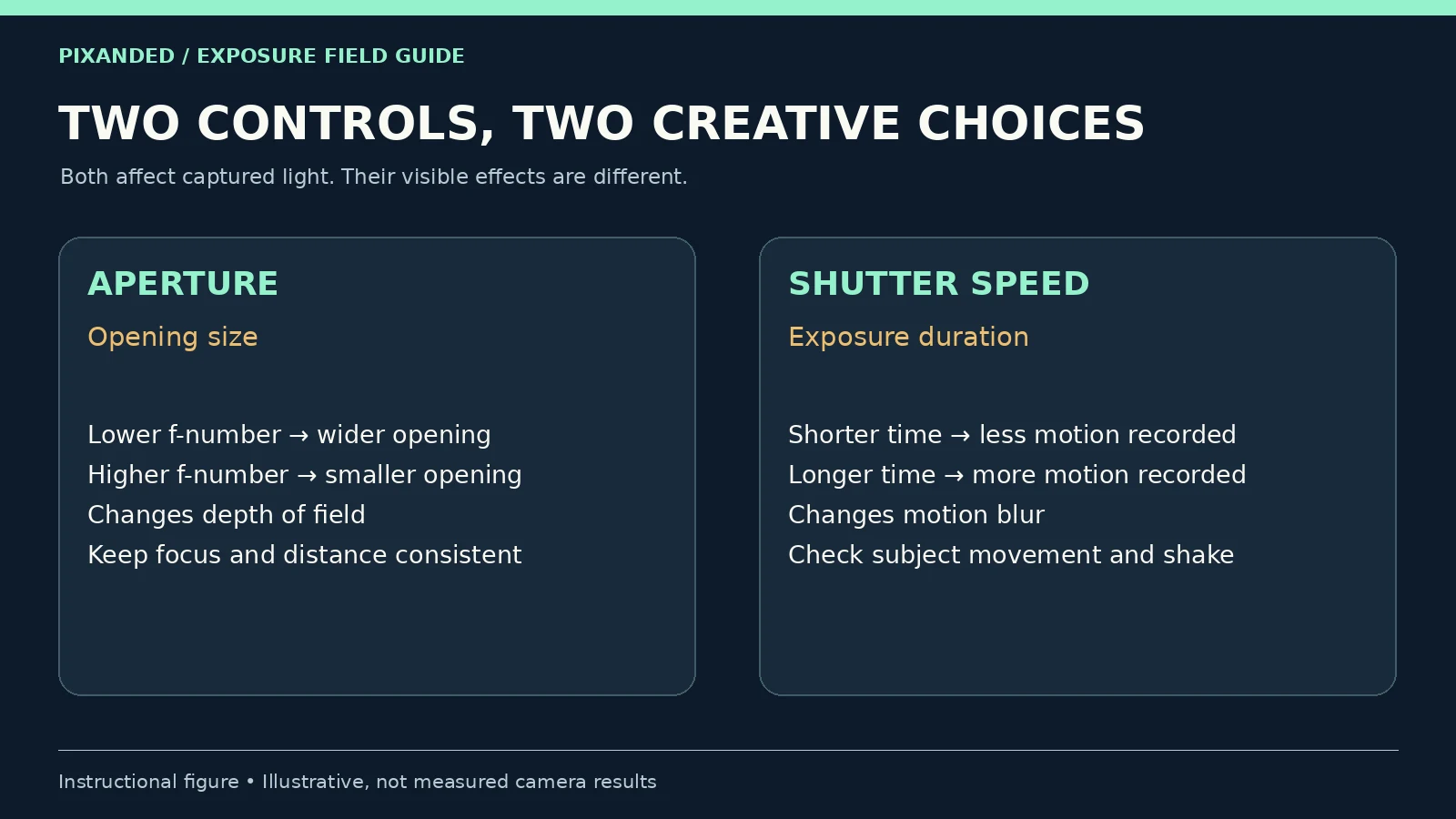
Aperture is the adjustable opening in a lens. A lower f-number, such as f/2.8, describes a wider opening than f/8 on the same lens. At a fixed shutter time, the wider opening admits more light. With the rest of the setup unchanged, it also produces a shallower zone of acceptable sharpness around the focus distance.
Shutter speed is the duration of an exposure. A setting of 1/500 second is a shorter exposure than 1/60 second. Shorter exposures record less movement during each frame; longer exposures can show motion as a trail or smear. They also collect more light when the scene and aperture stay unchanged.
Depth of field is not the same as a correctly focused subject. Aperture cannot rescue a focus point placed on the wrong object. The lens, distance, framing and intended viewing size also matter. See Nikon’s aperture guidance for the basic opening and depth-of-field relationship.
| Control | What you set | What to inspect |
|---|---|---|
| Aperture | Lens opening, expressed as an f-number | Are the required parts of the subject acceptably sharp? |
| Shutter speed | Exposure duration, expressed in seconds | Is subject movement or camera shake visible? |
| ISO | Signal amplification and rendered brightness | Is the output brightness useful, with acceptable noise and highlights? |
2. Choose the setting that protects the photograph
Before touching a dial, name the failure you cannot accept. For a moving person, that might be an indistinct face. For a product with important front and rear details, it might be a sharp label but unreadable edges. For a deliberate long-exposure photograph, the visible motion may be the point.
If motion matters most, choose a shutter time that records it as intended, then find an aperture that gives enough depth of field. If the subject is still and depth matters most, start with aperture and check the resulting shutter time. When both matter, set both and use suitable lighting or ISO to finish the exposure.
Here is a hypothetical coffee-shop assignment: photograph a barista pouring water while keeping the hand and dripper recognizable. A wide aperture might isolate the action, but it could leave part of the dripper soft. A long shutter might brighten the photograph, but it could smear the hand. Try a frame, inspect the important details, and change the setting responsible for the actual failure.
Your equipment does not need to match the hero image. A kettle is only an example; use a person turning a page or a hand moving a spoon. Ask permission and keep hot liquids away from equipment. Do not interrupt a working business to perform a test.
3. Test aperture with three stationary objects
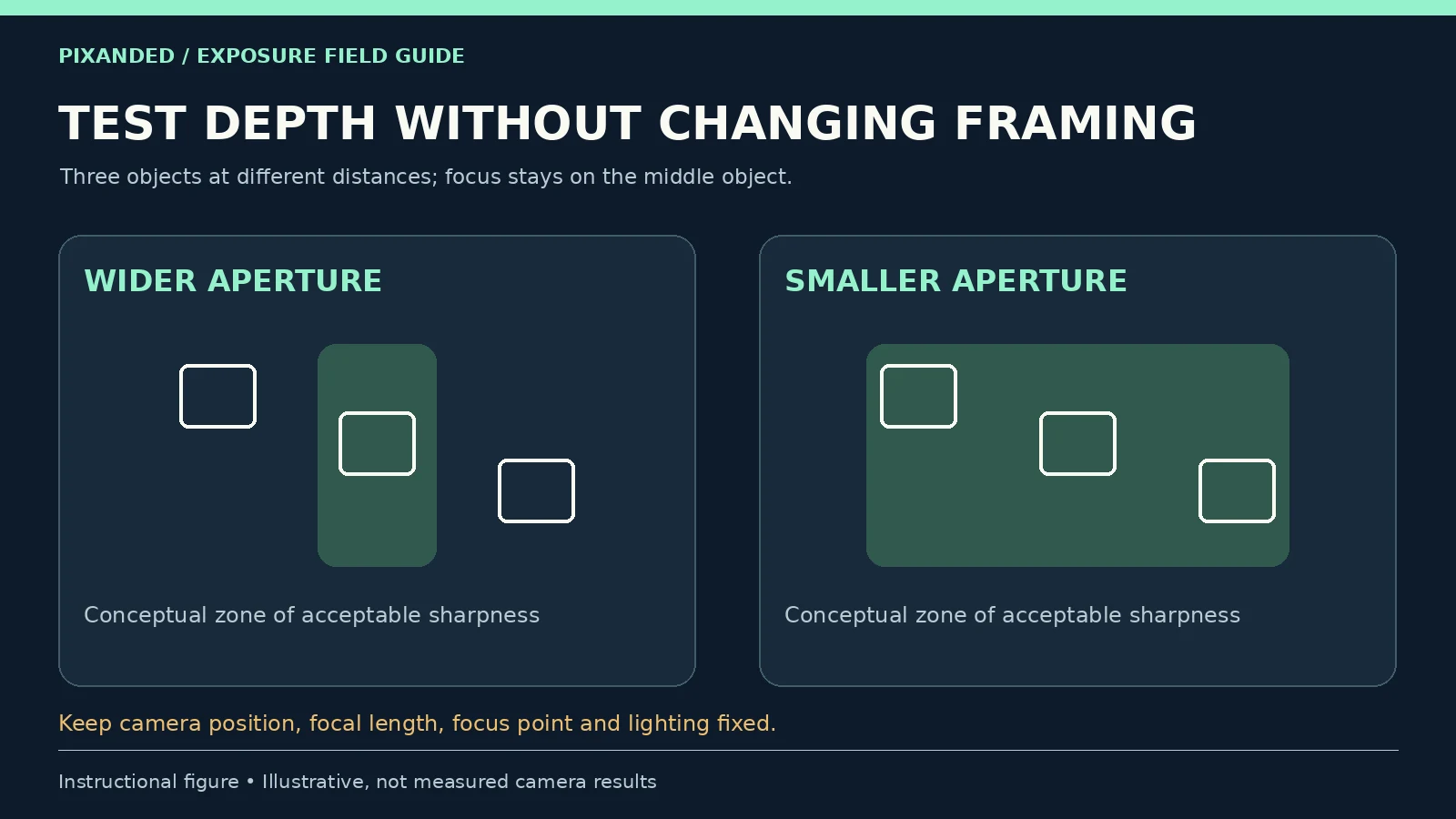
Place three mugs, books or other small objects at different distances from the camera, arranged so that all three remain visible. Put the camera on a stable support. Use steady light, fix the focal length and camera position, and focus on the middle object. Avoid moving closer between frames.
Select aperture priority, usually A or Av, and use a fixed ISO for this exercise. Turn off Auto ISO if your camera allows it. Take one frame at your lens’s widest available aperture, another near f/5.6, and another near f/8 or f/11 if available. These are test points, not promises of a particular look. A kit zoom may not offer f/2.8, especially at its longer end.
Allow the camera to select shutter speed, but record the value for each frame. The exposure time will often lengthen as you stop down. Because the objects and supported camera are stationary, that trade can work for this exercise. If the whole photograph blurs, solve vibration or movement before judging depth of field.
Compare the middle object, then the objects in front of and behind it. Inspect at your intended output size and use a close view to diagnose a problem. Write down which aperture includes enough subject detail. If nothing changes visibly, increase the spacing between the objects or use a closer setup; keep that new setup consistent across the repeated series.
Keep the focus distance fixed once it is set. If autofocus keeps selecting different objects, use a single selected point or switch to manual focus after focusing, where your camera allows it. The goal is a controlled comparison, not the lowest f-number.
4. Test shutter speed with one repeatable motion
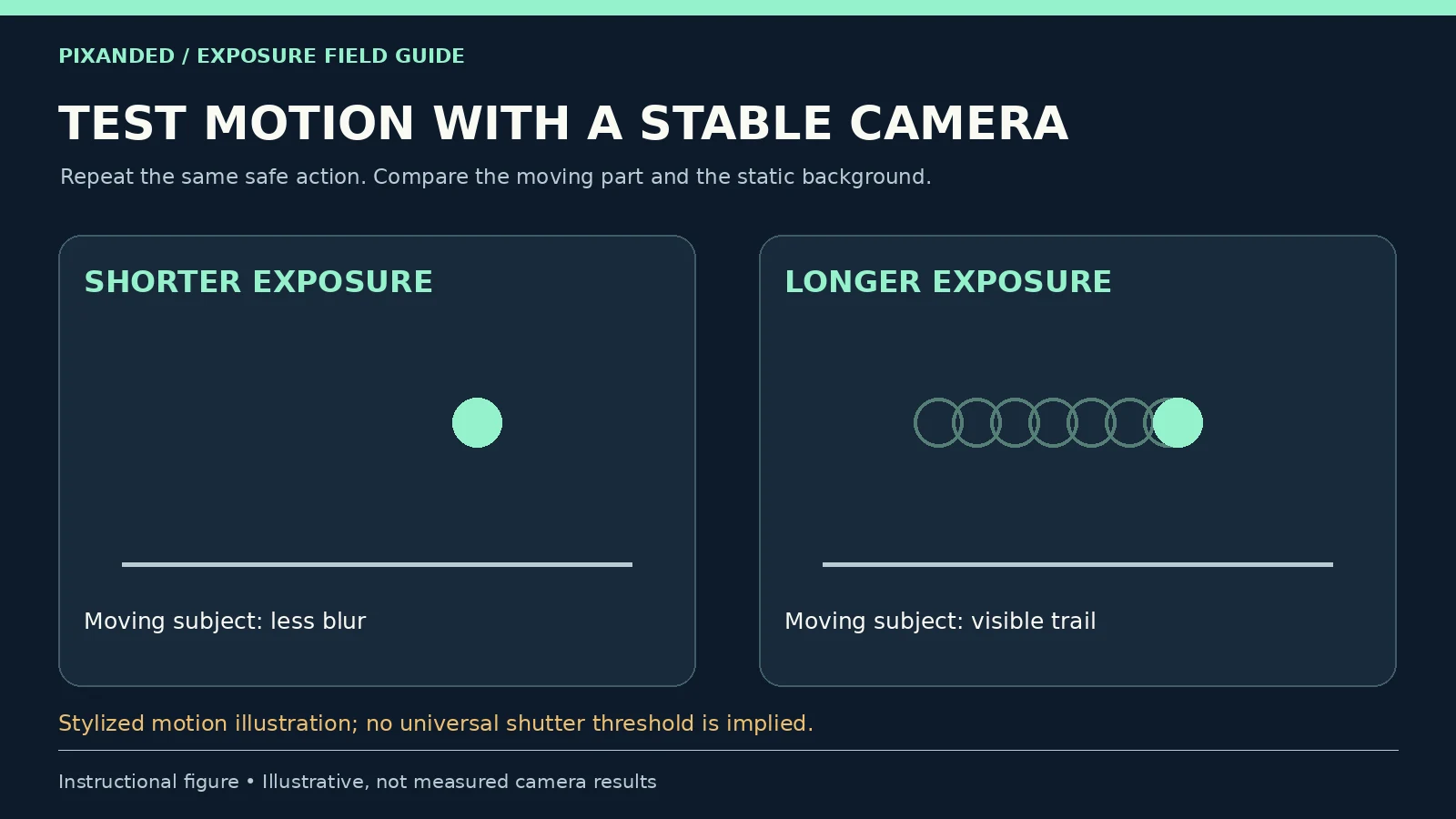
Keep the camera supported and choose a safe action you can repeat: a hand sliding a spoon across a table, a page turning or a person walking across the frame. Include a stationary edge in the background so you can distinguish subject motion from camera movement. Use consistent lighting and similar framing.
Select shutter priority, usually S or Tv. Start with a short exposure such as 1/500 second, then try 1/125 and 1/30 second. These values are trial points. Speed, direction, distance and how large the subject appears in the frame determine the motion you record; 1/500 second will not freeze every action.
Record aperture and ISO for every frame. The camera may change aperture, and may change ISO when Auto ISO is enabled. If a setting blinks or the frame is dark, the camera may have reached a lens or ISO limit. Add light, accept a different ISO or choose another workable shutter time rather than treating a warning as a successful exposure.
Compare the moving part and the static background. If the background stays sharp but the hand stretches into a trail, subject movement is the likely cause. If edges throughout the frame smear, investigate camera movement too. Stabilization can help with camera shake, but it does not stop your subject moving.
For a more controlled second pass, use manual exposure with one aperture and adjust ISO as shutter time changes to maintain similar brightness, if your camera supports those controls. Note that noise and processing can then differ. You are comparing the usefulness of the resulting photographs, not isolating every image-quality variable. Sony’s shutter-speed guide explains the exposure-time trade and the distinction between subject movement and camera shake.
5. Balance exposure without losing the chosen look
A stop is a doubling or halving of light exposure. At a fixed aperture, changing from 1/250 to 1/125 second doubles exposure time and captures roughly twice the light from an unchanged scene. At a fixed shutter time, closing the aperture by one full stop halves the light admitted.
The usual full-stop aperture sequence includes f/2.8, f/4, f/5.6, f/8 and f/11. Cameras often offer intermediate one-third-stop steps. Use your camera’s displayed values rather than assuming every dial click is a full stop.
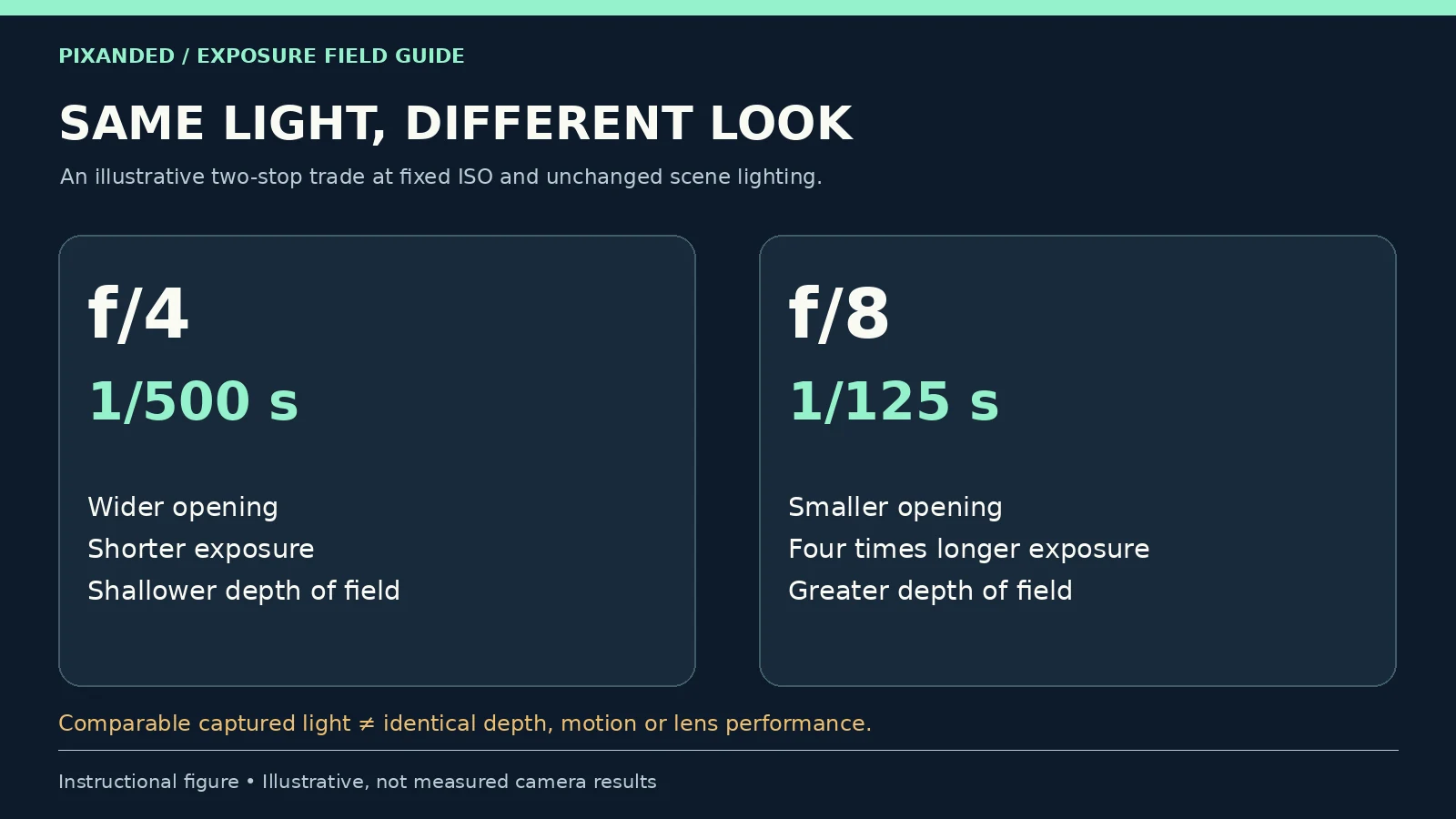
Consider an illustrative starting exposure of f/4, 1/500 second at a fixed ISO. Closing to f/8 removes two stops of light. Lengthening the exposure to 1/125 second adds two stops back. Under the same lighting, these combinations collect approximately comparable light, but they create different depth of field and motion blur.
| Illustrative combination | Light trade | Creative consequence |
|---|---|---|
| f/4 · 1/500 s · fixed ISO | Starting combination | Wider opening; shorter exposure |
| f/5.6 · 1/250 s · same ISO | One stop less through aperture; one stop more time | Intermediate depth and motion trade |
| f/8 · 1/125 s · same ISO | Two stops less through aperture; two stops more time | Greater depth; more opportunity for motion blur |
These are equivalent-light examples, not recommended settings for every room. Lens transmission, lighting changes, metering and camera processing can create small brightness differences. Canon’s aperture and shutter-speed explanation shows why similar exposure can still produce different photographs.
If you need f/8 for depth and 1/500 second for motion, you cannot recover the lost light by silently relaxing either requirement. Add suitable light or use enough ISO for a usable output, then check noise and highlights. Raising ISO does not add photons to the capture; our practical ISO test explains that distinction.
When the scene is too bright at the shutter and aperture you want, a suitable neutral-density filter can reduce incoming light. Check color and exposure after fitting it. For ordinary learning exercises, changing location or waiting for softer light is often simpler.
6. Pick a mode and watch the camera’s limits
Aperture priority lets you choose the opening while the camera normally selects shutter speed. Shutter priority lets you choose exposure time while the camera normally selects aperture. With Auto ISO, ISO may change too. Manual exposure gives you control of both aperture and shutter; manual mode with Auto ISO still leaves one exposure variable automated.
Choose aperture priority for the stationary depth test and shutter priority for the movement test. Use manual exposure when you want a repeatable combination or need to hold both controls. None of these modes is a professional-status badge. Nikon’s A, S and M mode documentation gives a concrete example; controls and limits vary by camera.
In aperture priority, look at the selected shutter time before photographing a moving person. In shutter priority, look at whether the selected aperture keeps the necessary details sharp. Check the actual ISO and warning indicators too. A camera can reach the widest lens opening, the fastest shutter or a chosen ISO limit without delivering the result you wanted.
A phone may offer manual shutter control while its physical aperture remains fixed. A portrait-mode depth slider may simulate background blur rather than change the lens opening. If your device cannot change aperture, run the motion exercise and record what it actually changed; do not present a software-blur comparison as an optical aperture test.
7. Diagnose blur before changing everything
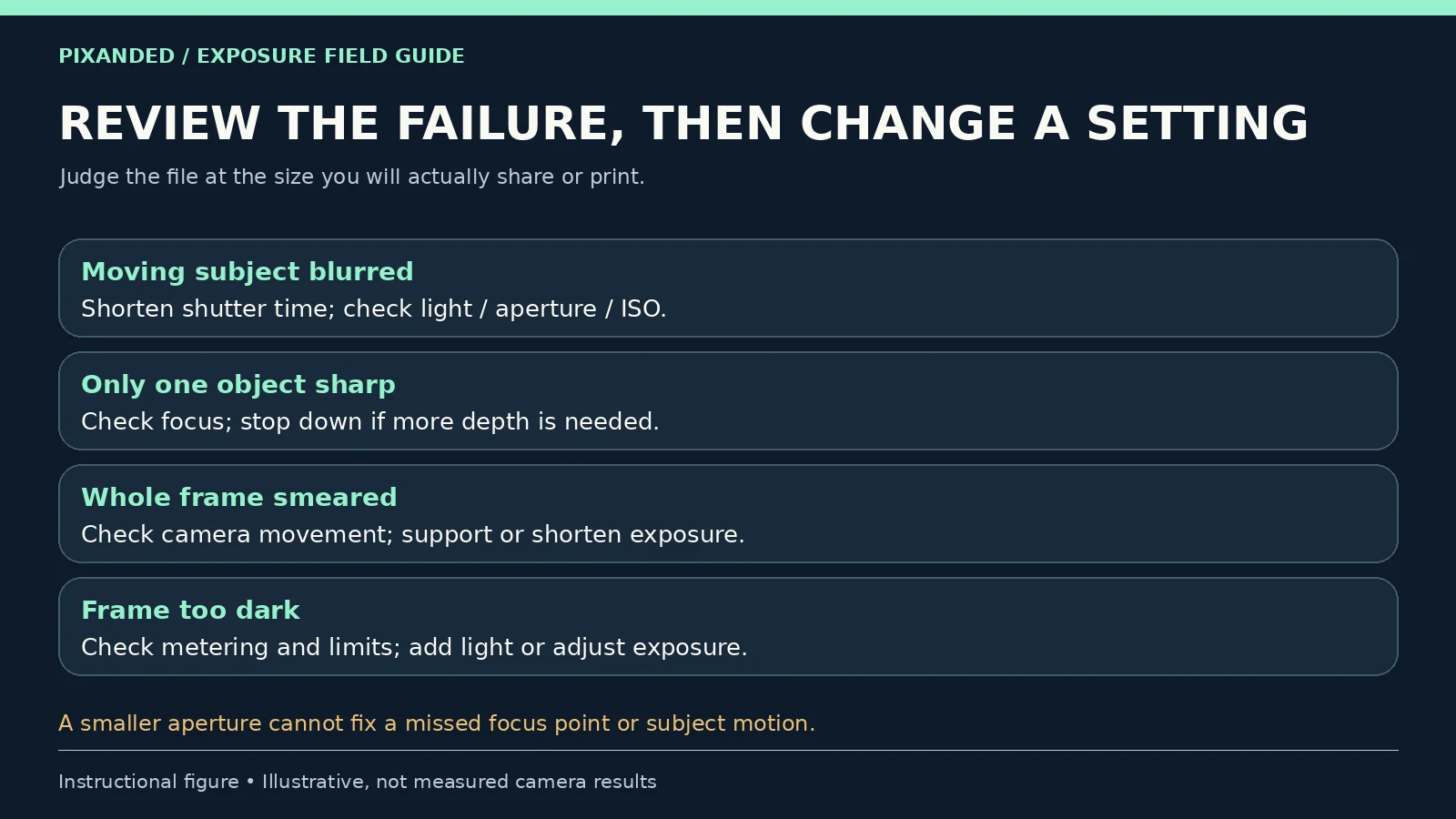
One important detail is soft while another is sharp: first check the focus point. If focus is correct but the required subject extends beyond the sharp zone, try a smaller aperture or change the arrangement. For a group portrait, avoid placing people at very different distances when the available depth is limited.
The subject smears but the surroundings stay sharp: shorten the shutter time if that motion is unwanted. Rebalance the exposure with available light, a suitable aperture or ISO. An editing sharpen filter cannot reconstruct detail lost to substantial motion.
The entire frame has doubled or smeared edges: stabilize the camera, improve your holding technique or shorten the exposure. A tripod addresses camera movement; a person can still move during a tripod-mounted exposure.
The frame is dark: check the actual settings, metering and limit warnings. Review the histogram or highlight warning if available, but do not assume the meter must always sit at zero. A dark subject and bright window can require a decision about which details matter.
A smaller aperture still looks disappointing: more depth does not fix missed focus, motion or lens limitations. Very small openings can also reduce fine-detail contrast through diffraction. Avoid a universal rule that f/22 is the sharpest setting; compare your own lens at the size you will use. Canon illustrates the trade in its aperture lesson.
Artificial light creates stripes or inconsistent brightness: try the camera’s flicker-reduction options and consult its manual. Electronic shutters and some lighting can interact badly. A faster shutter is not automatically the solution to every visible defect. Sony explains camera-specific options in its flicker guidance.
8. Keep a short record and choose your final frame
Use the same simple record for both exercises: subject and light; camera position and focal length; aperture; shutter time; ISO; focus point; and the failure you noticed. Add one sentence explaining which frame you would use and why.
A useful observation might be: “For these three objects, f/8 kept the front and rear details clearer, and the supported camera allowed the longer exposure.” Or: “For this hand movement, my shorter exposure made the action recognizable; I accepted a higher ISO to keep that shutter time.” These are conclusions from your files, not universal presets.
Repeat in the light you actually work in, then try a real photograph without changing every setting at once. For equipment decisions, the beginner camera guide covers the wider kit choice. For people, the portrait-lens guide helps you assess working distance and framing.
Editorial note: these exercises concern still photography. Video adds frame-rate, shutter-time, lighting and continuity considerations; the still-photo test values should not be copied into a video take automatically. Camera menus and results vary. The numerical examples and figures illustrate decisions, not measured performance claims.
Frequently asked questions
What is the main difference between aperture and shutter speed?
Aperture changes the size of the lens opening and influences depth of field. Shutter speed changes exposure duration and how motion is recorded. Both affect the amount of light captured.
Should I set aperture or shutter speed first?
Start with the requirement you cannot compromise. Choose shutter time first when motion matters most, or aperture first when depth of field matters most. Then check the other setting and ISO before taking the photograph.
Does a higher f-number make the whole photograph sharper?
A higher f-number generally increases depth of field in an unchanged setup, but it does not correct missed focus or motion blur. Very small apertures can reduce fine-detail contrast through diffraction. Test the result at your intended output size.
Can image stabilization replace a fast shutter speed?
Stabilization can reduce blur from camera movement. It cannot stop a moving person or object during the exposure. Use a suitably short shutter time when unwanted subject motion is the problem.
Can I practise these tests with a phone?
You can practise motion if the phone offers shutter control. Many phones have a fixed physical aperture, and portrait-mode blur may be simulated. Record the settings the device actually changes and do not describe software blur as an optical aperture test.