White balance is one of the most important yet misunderstood settings in photography and videography. If you’ve ever taken a photo that looked too blue, too orange, or just “off,” chances are your white balance was incorrect.
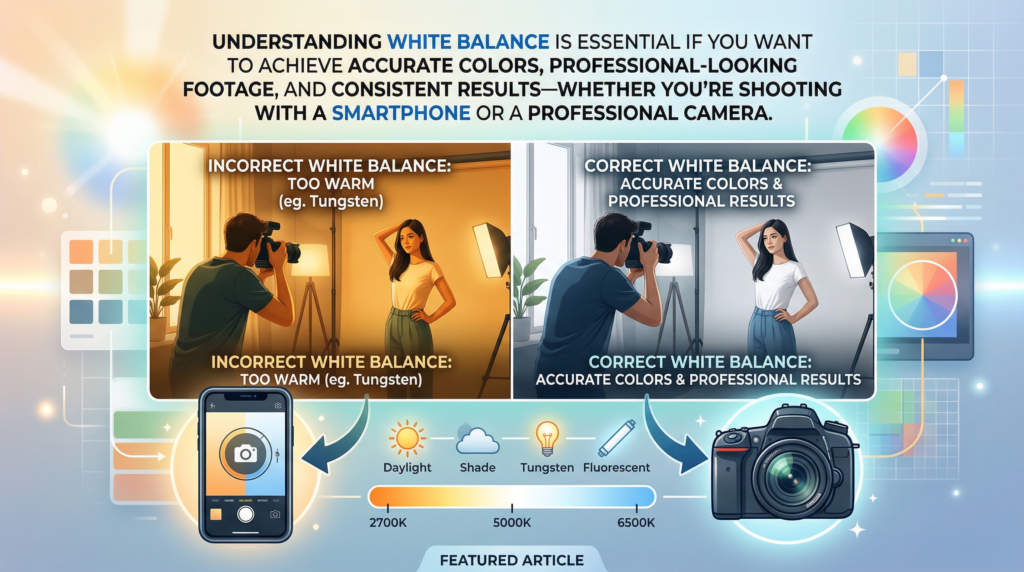
Understanding white balance is essential if you want to achieve accurate colors, professional-looking footage, and consistent results—whether you’re shooting with a smartphone or a professional camera.
In this complete guide, you’ll learn:
- What white balance really is
- How it works
- How to set it correctly in any situation
- Common mistakes to avoid
- Pro tips to master it like a professional
Table of Contents
What Is White Balance?
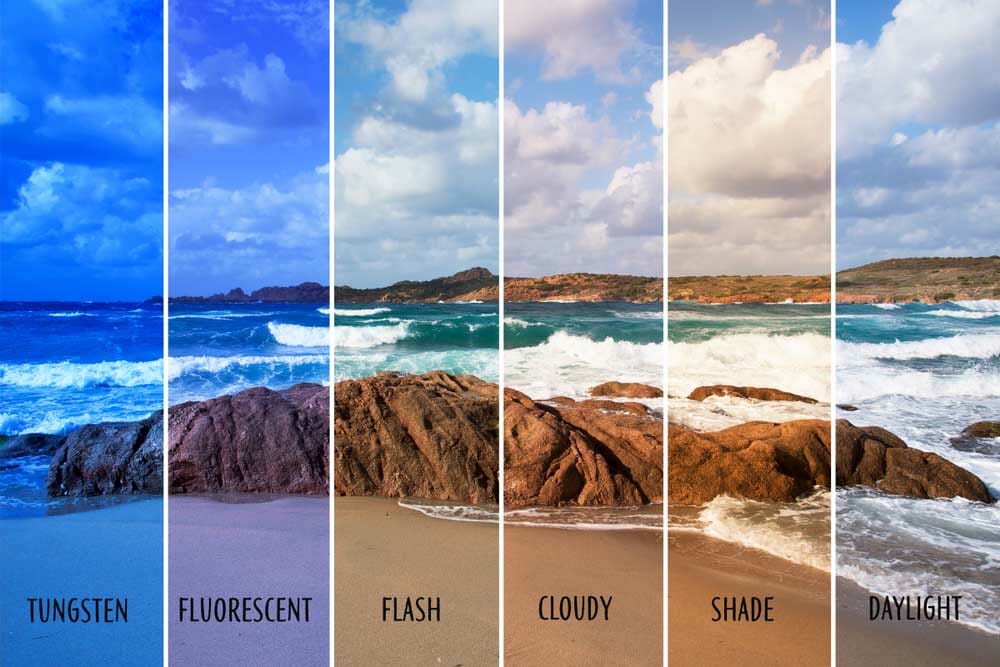
White balance is a camera setting that adjusts colors so that white objects appear truly white under different lighting conditions.
Different light sources have different color tones:
- Sunlight → neutral/blue
- Tungsten bulbs → warm/orange
- Fluorescent lights → greenish
Your camera uses white balance to neutralize these color casts.
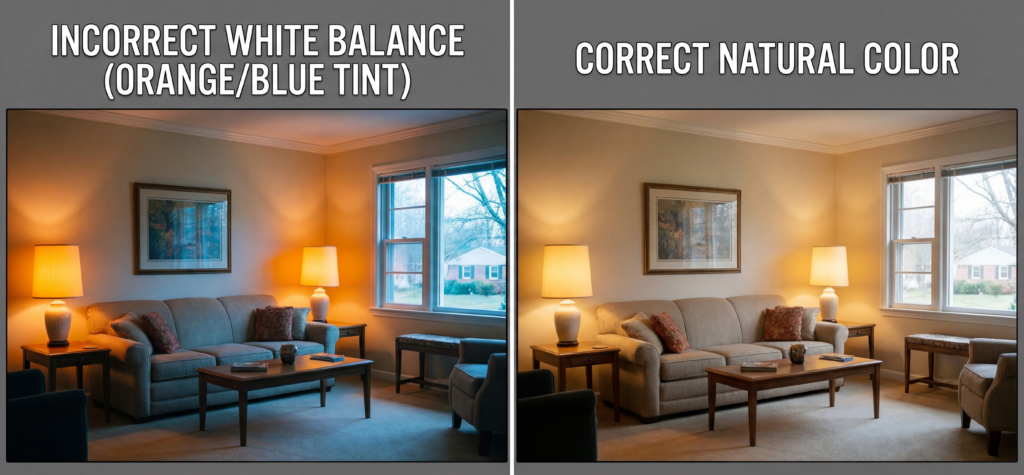
Example:
- Without correct white balance → image looks orange
- With correct white balance → colors look natural
How it Works
Your camera measures the color temperature of light and adjusts colors accordingly.
It tries to answer:
“What should look white in this scene?”
Then it compensates by shifting colors.
The Science Behind It
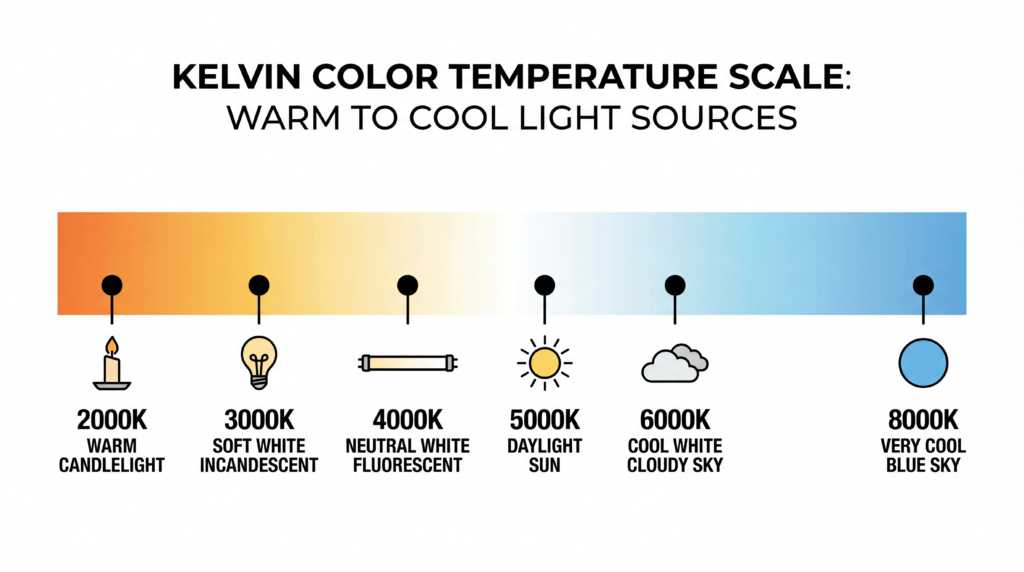
White balance is based on color temperature, measured in Kelvin (K).
- Lower Kelvin (2000–4000K) → warm/orange
- Higher Kelvin (5000–8000K) → cool/blue
Your camera adds the opposite color to balance the image.
Color Temperature Explained (Kelvin Scale)
Understanding Kelvin is the key to mastering white balance.
Common Lighting Temperatures:
| Light Source | Kelvin | Color |
|---|---|---|
| Candle | 2000K | Very warm |
| Tungsten bulb | 3200K | Orange |
| Sunrise/Sunset | 4000K | Warm |
| Daylight | 5500K | Neutral |
| Cloudy | 6500K | Slightly cool |
| Shade | 7500K+ | Blue |
Rule:
- Warm light → increase Kelvin
- Cool light → decrease Kelvin
White Balance Modes Explained
Most cameras have preset modes:
Common Modes:
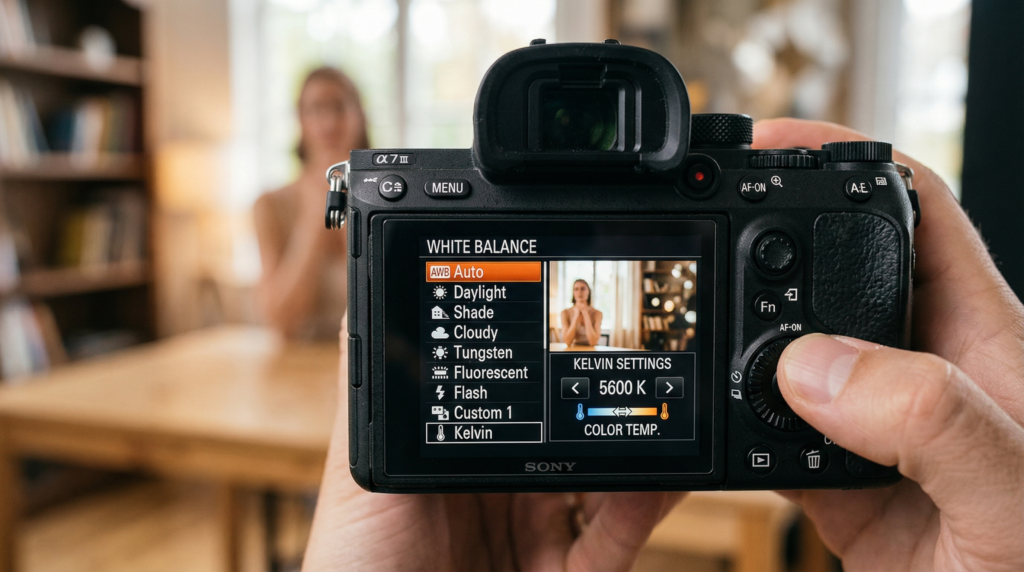
- Auto White Balance (AWB)
- Daylight
- Cloudy
- Tungsten
- Fluorescent
- Custom (manual Kelvin)
🟢 AWB
Best for beginners, but:
- Can be inconsistent
- Changes between shots
🟡 Preset Modes
More stable than auto:
- Daylight → outdoor shooting
- Tungsten → indoor warm lighting
🔴 Manual White Balance (Kelvin)
Most professional method:
- Full control
- Consistent results
How to Set WB Correctly (Step-by-Step)
🎬 Method 1: Use Auto (Quick Start)
- Set WB to Auto
- Take a test shot
- Check colors
Good for fast shooting
🎬 Method 2: Use Presets
- Identify the light source
- Select a matching preset
- Adjust exposure
🎬 Method 3: Manual Kelvin (Best Method)
- Observe lighting condition
- Set the Kelvin value manually
- Adjust until colors look natural
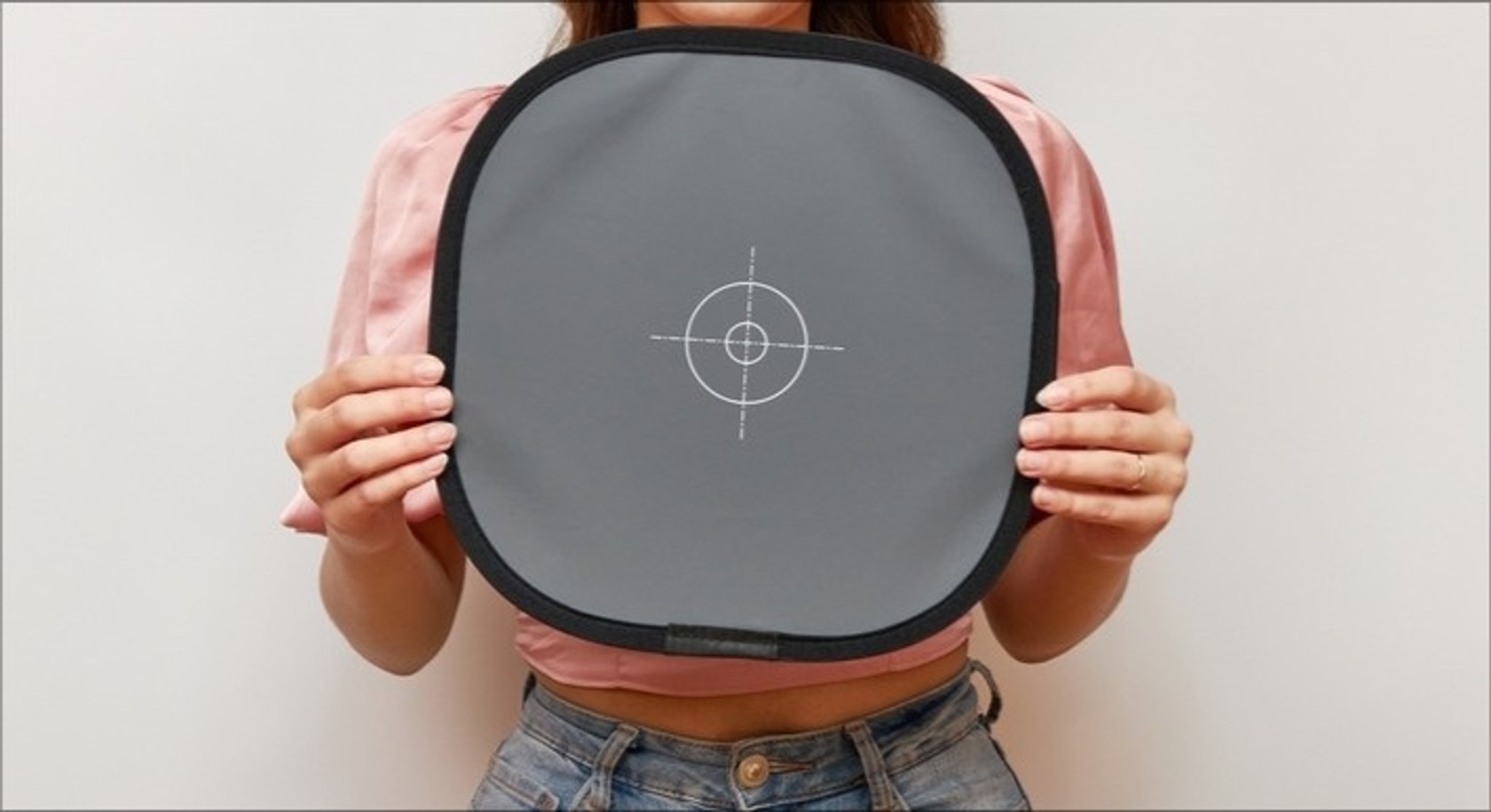
🎬 Method 4: Custom WB (Pro Level)
- Use a white/gray card
- Take a reference photo
- Set the custom WB in the camera
Most accurate method
Practical Examples
Example 1: Shooting at Sunset
- Problem: Too orange
- Solution: Lower Kelvin (~4500K)
Example 2: Indoor Lighting
- Problem: Yellow/orange tint
- Solution: Use tungsten mode or ~3200K
Example 3: Cloudy Day
- Problem: Blue tones
- Solution: Increase Kelvin (~6500K)
Example 4: Mixed Lighting
- Problem: Multiple color casts
- Solution: Use custom white balance
Common Mistakes Beginners Make
1. Always Using AWB
Leads to inconsistent colors in videos.
2. Ignoring Lighting Conditions
Different lights require different WB settings.
3. Mixing Light Sources
Creates unnatural colors that are hard to fix.
4. Not Shooting in RAW
RAW allows fixing white balance later.
5. Overcorrecting Colors
Sometimes, slight warmth looks better than perfect neutrality.
Tips to Master WB
1. Learn Kelvin by Practice
Shoot the same scene with:
- 3000K
- 5000K
- 7000K
Compare results.
2. Use Manual WB for Video
Avoid flickering color shifts.
3. Use WB Creatively
Warm tones → cinematic feel
Cool tones → dramatic mood
4. Shoot RAW (Photography)
Fix WB easily in editing.
5. Lock WB in Video
Prevents color shifts during recording.
FAQ
What is WB in simple terms?
White balance adjusts colors so white appears white, ensuring natural, accurate colors in photos and videos.
Should I use AWB?
Yes, for beginners, but manual WB gives more consistent and professional results.
What is the best WB setting?
There is no single best setting—it depends on lighting conditions. Manual Kelvin is the most accurate.
Can I fix WB in editing?
Yes, especially if you shoot in RAW. However, correct WB in-camera gives better results.
Why do my videos change color?
Because AWB adjusts continuously, use manual WB to fix this.
Conclusion
WB is not just a technical setting—it’s the foundation of accurate color, professional quality, and creative control.
Once you understand how it works:
- Your photos will look natural
- Your videos will look cinematic
- Your editing workflow will become easier
Mastering WB is one of the fastest ways to level up your photography and videography skills.
So next time you shoot…
Don’t just press record.
Control your colors. Control your story.
Learn Articles:
- “How to Film Cinematic Video With Any Camera”
- “Aperture vs Shutter Speed: How They Affect Your Photos”
- “What Is ISO in Photography? Beginner-Friendly Guide”