

To edit photos like a professional, start with the result the image needs to deliver. A useful edit directs attention, preserves important detail, stays consistent with the assignment and exports correctly. It is not defined by how many sliders you move.
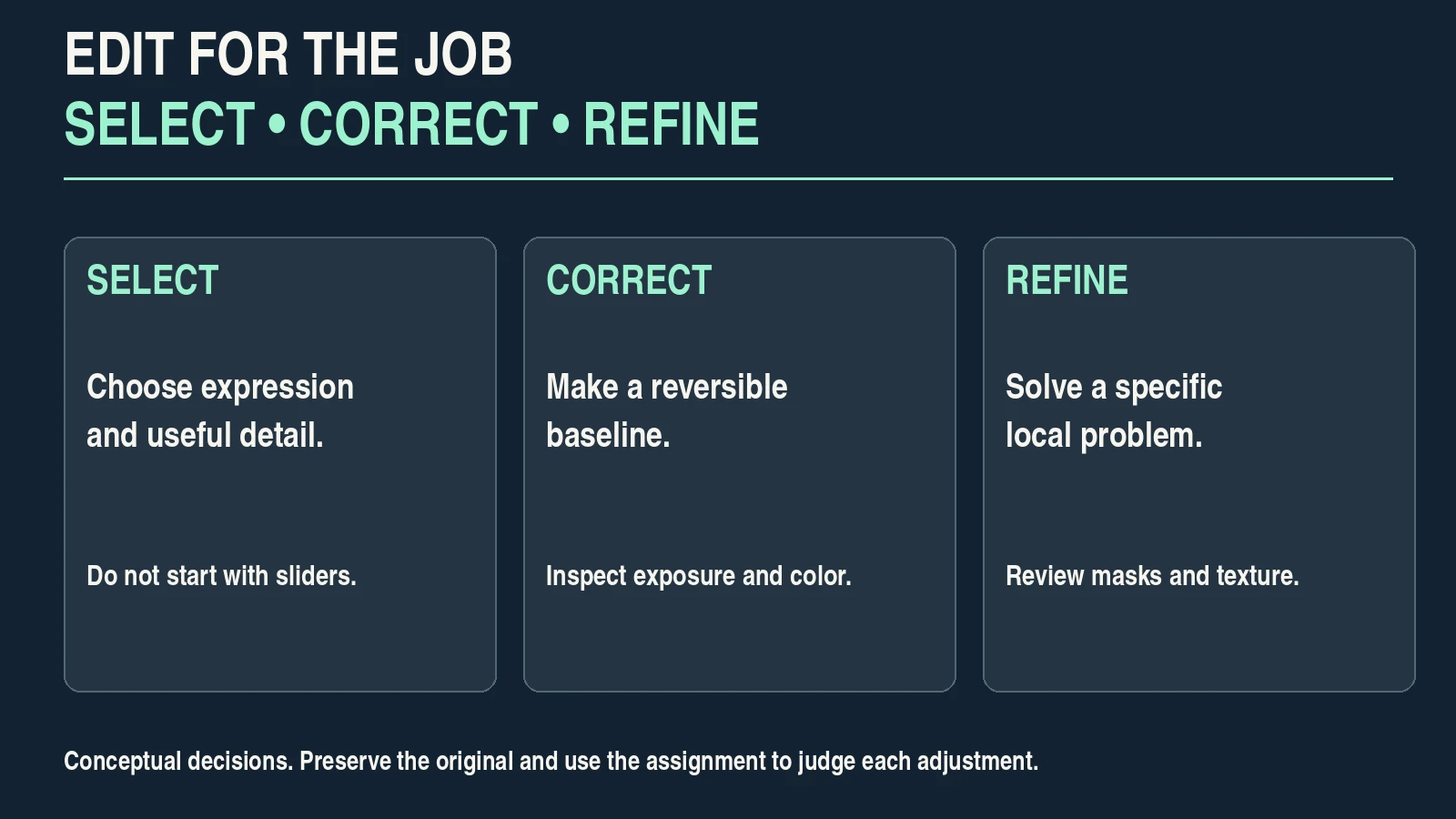
This guide follows a hypothetical coastal portrait beneath a stone archway. The subject is in shade, the sky is brighter, and navy clothing contains detail you want to preserve. You will select the right capture, make a reversible baseline, refine only what helps, and check a delivered copy.
Table of Contents
1. Define the purpose and the editing boundary
Write one sentence that describes the job: “A natural coastal portrait with readable face and clothing, a believable sky, and room for a landscape website crop.” That sentence gives you a way to decide whether each adjustment helps.
Check the destination and the agreement. A personal creative portrait, a product listing and documentary coverage can have very different expectations for retouching. Agree on significant alterations instead of assuming that every subject wants the same treatment.
For the example, the aim is a natural portrait rather than a reconstructed scene. We will correct exposure and color where practical, keep the person’s recognizable features and avoid inventing missing sky or texture.
Decide whether delivery is ordinary SDR or an HDR photograph. This exercise uses an SDR online copy. HDR editing and output require a suitable viewing and delivery workflow; they are not simply a stronger highlights adjustment.
Before selecting a tool, know the required crop, useful pixel dimensions, file format and any relevant metadata or privacy preference. Those choices prevent a polished edit from failing at delivery.
2. Preserve the original and select the strongest capture
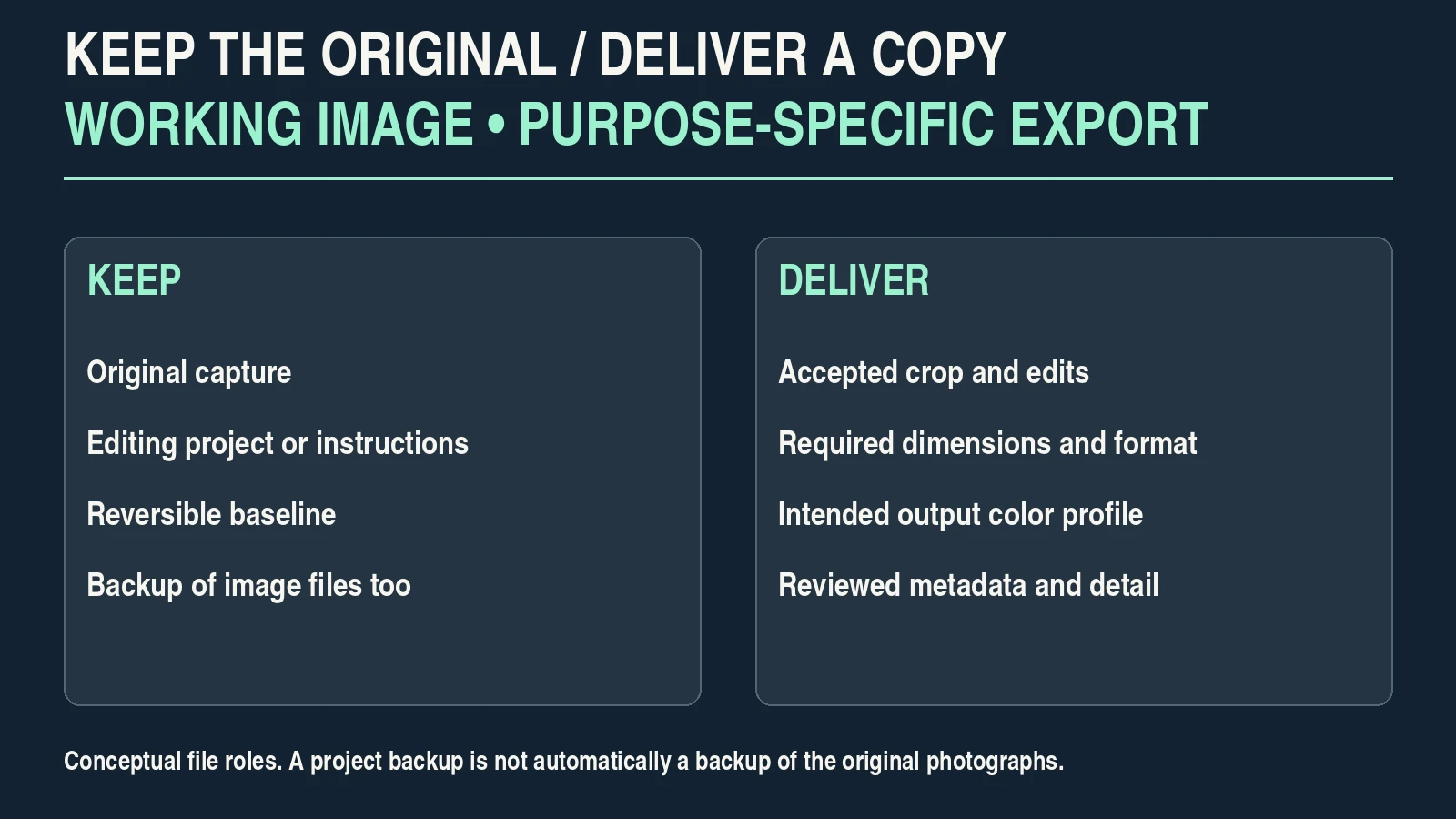
Keep a separate backup of the original files and the editing project’s instructions or catalog. An editing catalog backup is not automatically a backup of the photographs themselves. Confirm that the originals can be found and opened.
In a nondestructive editor, adjustments can be stored separately from the image data. Adobe’s Lightroom Classic Develop guide describes this approach. Other software may require layers, a project format or a separate working copy; check how your application saves changes.
Choose the capture before spending time on sliders. Inspect the face, focus, important highlights, expression and composition. A weaker frame with a more recoverable background is not necessarily better than a stronger expression.
| Selection question | Inspect | Decision |
|---|---|---|
| Is the intended subject sharp? | Eyes and other important features at useful zoom. | Prefer a sharp alternative if the main subject is out of focus. |
| Does the expression serve the image? | Face and body language in context. | Select the capture that communicates the intended result. |
| Is important highlight detail present? | Sky or bright subject areas, using clipping tools appropriately. | Do not assume every white region can be recovered. |
| Can the composition meet delivery? | Crop boundaries and remaining pixel dimensions. | Choose enough useful framing for the destination. |
| Is the image faithful to the assignment? | Condition, included objects and documentary expectations. | Avoid an edit that changes a fact the viewer relies on. |
RAW files can allow different interpretation choices from a camera-rendered JPEG, but RAW does not guarantee correct exposure or sharpness. The RAW versus JPEG exercise helps you compare your own files.
3. Choose a baseline and plan the crop
Begin with a suitable color/rendering profile for the source. Different profiles can change the starting appearance even before other controls are adjusted. A preset may change several controls; inspect what it actually does rather than treating its name as a quality standard.
Set a provisional crop and straighten when needed. Consider the arch, the person’s position and the intended website frame. Leave enough room for the delivery crop instead of committing early to a very tight portrait.
Apply available lens corrections when they help the image, and inspect the result. Correcting distortion or perspective can change the edges and require a crop. Do not straighten every leaning line if doing so makes the person or scene look unnatural.
Save a baseline version or snapshot that you can return to. Reversible checkpoints make comparisons more useful than trying to remember what the photograph looked like ten changes earlier.
Work in a stable viewing environment. A very bright display can tempt you to export an image that looks too dark elsewhere. Appropriate display calibration or profiling helps; comparing a phone is a useful check, not a substitute for dependable monitoring.
4. Correct exposure and color with a clear reference
Inspect the whole image, then the subject. For the coastal example, the bright sky should not force the shaded face into unreadability, but lifting every shadow equally can flatten the arch and reveal noise.
Make a modest exposure adjustment and check what it changes. Then adjust highlights or shadows if they solve a specific problem. A histogram describes the distribution of the interpreted image, not a shape that every photograph must match.
Use clipping warnings carefully. Some specular highlights can reasonably be very bright; important skin or clothing detail may need protection. If a feature was clipped in the source, a slider cannot reliably reconstruct its original appearance.
Correct an unwanted color cast using trustworthy reference information. A stone arch may be warm in reality; a white shirt may be illuminated by reflected blue sky. Do not assume every pale object should be perfectly neutral.
| Observed problem | First adjustment to consider | Recheck |
|---|---|---|
| Subject too dark overall | Exposure or a selective subject adjustment. | Skin, clothing detail, sky and noise. |
| Bright detail becomes unreadable | Highlights or a different source capture. | Whether detail was actually recorded. |
| Unwanted color cast | White balance and tint with a suitable reference. | Skin, neutral objects and intentional lighting. |
| Image feels flat | Contrast or a restrained tone-curve adjustment. | Shadow texture and highlight transitions. |
| One color dominates | Targeted color adjustment rather than global saturation. | Related colors and skin appearance. |
| Correction creates an obvious edge | Mask coverage and transition. | The full image and boundary at useful zoom. |
The order can be iterative: changing white balance may affect your exposure judgment, and a crop can alter what matters most. Return to the purpose sentence rather than following a fixed slider recipe mechanically.
5. Refine locally and make retouching deliberate
Use a local adjustment when the problem is local. In the example, a restrained mask can make the face easier to read without lifting the entire arch. Inspect the mask boundary, hair and clothing edges; automatic selection still needs review.
Increase contrast or texture only where it helps. Strong clarity can emphasize skin texture or create harsh boundaries. A treatment that suits stone does not necessarily suit a face.
Remove temporary sensor dust or a distracting spot when that fits the assignment. Treat changes to facial features, body shape, permanent marks, product condition or documentary content as different decisions. Keep consent and the intended use in view.
Generative replacement can create convincing content that was not photographed. If you choose a creative composite, keep an original version, check the result closely and describe it appropriately where the context requires. Do not present invented detail as recovered capture information.
Toggle each local edit off and on at normal viewing size. If the adjustment makes the viewer notice the processing more than the subject, reduce it or return to a simpler correction.
6. Balance noise reduction and sharpening
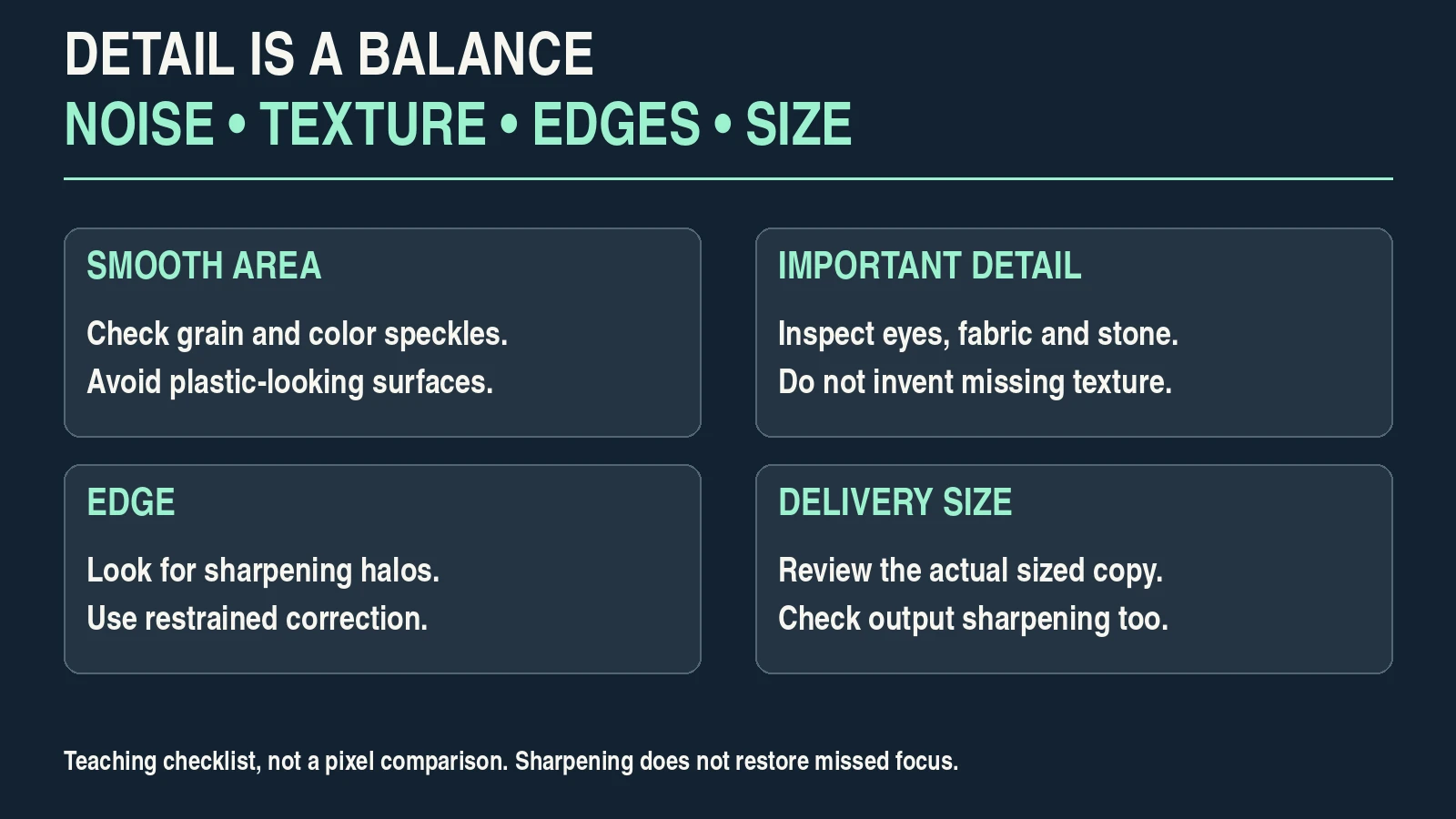
Inspect fine detail and a smooth area of the image. Look at the eyes, navy fabric, stone and sky at useful zoom. Noise reduction can make an image cleaner while removing texture; sharpening can emphasize edges while making noise and halos more obvious.
Adobe’s Lightroom Classic retouching instructions discuss detail inspection and sharpening at editing and output stages. Use that distinction rather than applying one strong sharpening value to every source and destination.
Make a small adjustment, then compare the same region. Check for waxy skin, artificial fabric texture, edge halos and colored speckles. If the main subject was out of focus, sharpening may make an edge more prominent without restoring the missing detail.
Check the normal viewing size as well. A photograph that looks excessively processed at 100% may still look poor when small, and an image that seems noisy when greatly enlarged may be suitable at its actual delivery size.
Avoid numerical noise-reduction or sharpness presets presented as universal professional settings. The source, intended display size and output method determine the useful balance.
7. Match the set and keep a restrained creative finish
For a small set of related coastal portraits, choose a representative reference image. Compare face, navy clothing and the stone across the selected frames. The goal is a coherent set, not identical histograms or slider values.
You can copy selected baseline adjustments between similar captures, then inspect every image. A frame taken in different light may need a different exposure or balance. Masks and spot corrections can land in the wrong place when copied indiscriminately.
Add a creative color finish only when it supports the purpose. Gentle warmth may suit the stone and scene, but a strong tint that changes the subject’s skin or clothing can undermine a natural portrait.
Keep a corrected version without the creative finish. Compare both after a short break. This helps reveal processing that looked appealing only because you had become accustomed to it.
Review the whole set at the size the recipient will see. Remove redundant or weaker frames. A smaller coherent selection can be more useful than delivering several variations that contradict each other.
8. Export a copy and inspect the delivered image
Return to the delivery requirements. Export a rendered copy that contains the intended edits; an “Original” export option can serve a different purpose from a finished image. Keep the original and editable project separately.
Adobe’s Lightroom export guide describes format, dimensions, quality, metadata, output sharpening and color-space options. Their labels and availability vary with application version.
For an ordinary SDR web photograph, an sRGB copy is a common starting point when the destination does not specify another requirement. Adobe’s color-management guide explains why output profiles and viewing devices matter. Embed the intended profile where supported rather than changing color appearance to compensate blindly for one viewer.
Choose dimensions for the actual placement. Increasing the pixel count of a small blurry file does not recreate detail. Compare compression at the delivery size instead of assuming that one quality percentage is optimal everywhere.
| Delivery check | Accept when | If it fails |
|---|---|---|
| Rendered edits | Export contains the accepted crop and adjustments. | Choose the correct rendered export option. |
| Dimensions and crop | Required placement fits without losing important features. | Export a purpose-specific copy from the working image. |
| Color | Intended profile is present and appearance is reasonable in managed viewing. | Check export profile and viewer interpretation. |
| Detail | Skin, clothing and edges remain natural at delivery size. | Review sharpening, noise reduction and compression. |
| Metadata | Copyright and relevant information are retained; private data follows your intended policy. | Adjust metadata settings before sharing. |
| Set consistency | Selected images have coherent color, tone and quality. | Revisit the reference and weaker frames. |
Open the exported file outside the editor, preview the actual destination if available and inspect the final crop on a phone. Keep a record of the accepted export settings and filename.
The product-photography workflow applies similar checks to truthful commercial images. Better editing begins with useful capture and ends with a delivered file that meets its purpose.
Frequently asked questions
What does it mean to edit photos like a professional?
It means making deliberate choices for the assignment, preserving important detail, keeping a coherent set and delivering suitable files. The number of effects or a preset’s name does not establish that quality.
Do I need RAW files to edit well?
No. JPEG and other supported files can be edited, but they begin with different source information and baked rendering. RAW may provide useful interpretation flexibility; it does not fix missed focus or guarantee recoverable highlights.
Should I apply the same preset to every photograph?
Not without checking the results. Source exposure, light and subject can differ. Use a preset as a starting tool, then inspect each image and match the set deliberately.
Can sharpening fix a blurry photograph?
It can emphasize edges but does not reliably restore detail missing from focus or movement blur. Prefer a better capture when the important subject is not sharp enough.
Should I remove every imperfection?
No. Retouching should follow the agreement and purpose. Temporary distractions differ from permanent features, product condition or documentary facts. Keep an original and make significant changes deliberate.
Why does the export look different from the editor?
Check the rendered export option, color profile, viewing application’s color management, display and destination processing. Compare the actual exported copy before changing the edit to compensate.
This is a practical teaching workflow, not a measured software comparison or a guarantee that a preset can reproduce a professional assignment.