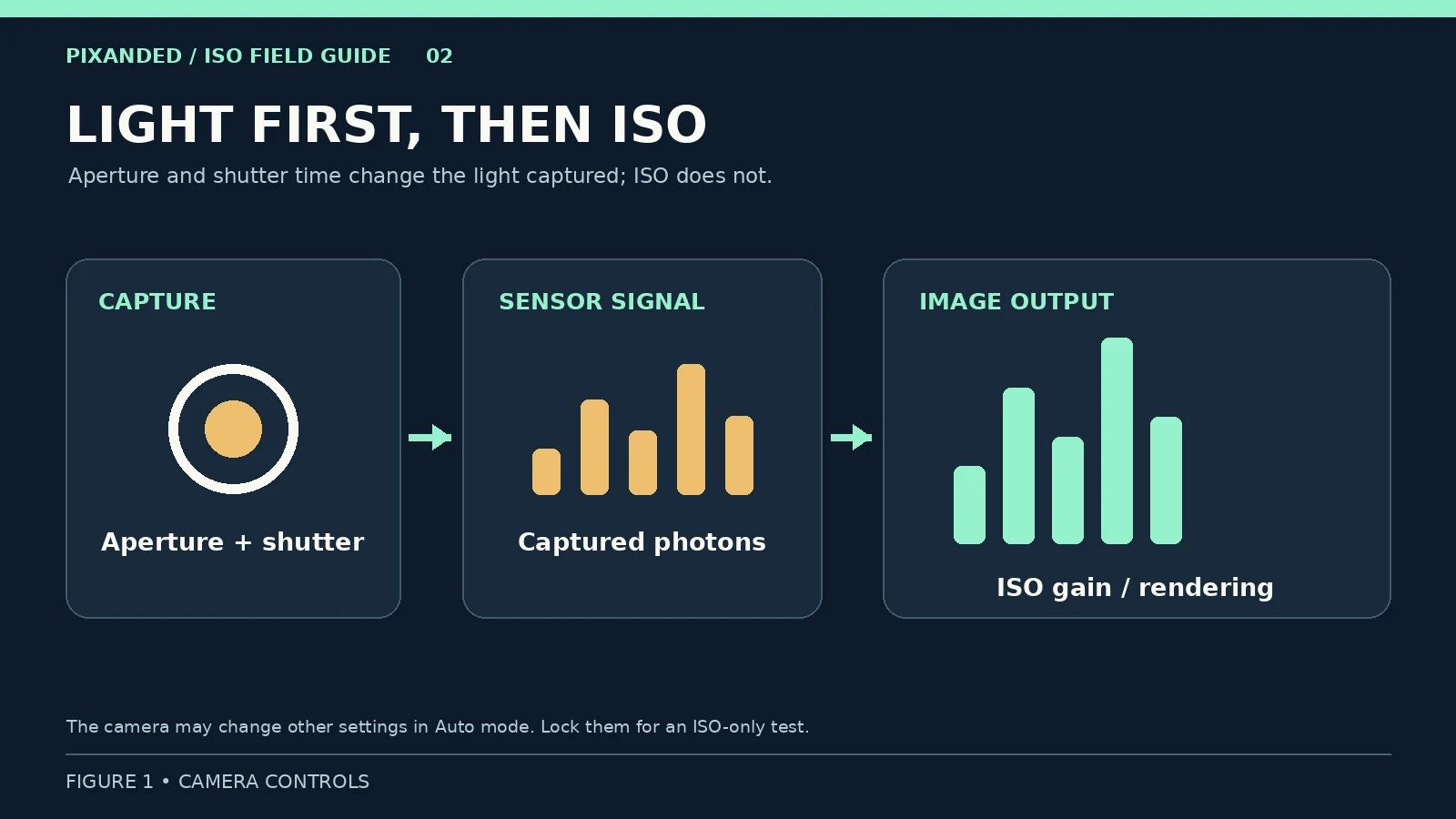
What is ISO in photography? On a digital camera, ISO is the setting that changes how strongly the captured light signal is amplified and how bright the resulting image appears. Aperture and shutter time determine how much light reaches the sensor; raising ISO does not send more light into the lens. This distinction becomes useful when you photograph indoors, at dusk or whenever a moving subject needs a fast shutter speed.
This guide gives you a short camera test, a decision process for real scenes and a way to judge your own camera’s results. You can complete it with a phone that offers manual controls or a dedicated camera. The exact numbers below are starting values for an exercise, not settings that work in every room.
Table of Contents
1. What ISO changes in a digital photo
Suppose you photograph a stationary object at f/5.6 and 1/125 second under steady light. If you keep those two settings and move from ISO 100 to ISO 400, the camera generally renders the image brighter. The lens opening and exposure time did not change, so the sensor did not receive four times as much light. The camera applied greater amplification and image processing to the captured signal.
Sony’s ISO guide describes ISO as amplification of the light signal. ISO is often introduced as one corner of the exposure triangle. That shorthand helps with camera controls, but it can leave a misleading impression that ISO itself gathers light. Aperture controls the size of the opening, shutter speed controls the duration, and ISO controls the signal/output brightness for a given capture. If a camera is in an automatic mode, changing ISO may also cause the camera to change shutter speed or aperture. Lock those settings when you want to see ISO’s effect alone.
A low ISO can preserve highlight headroom in a bright scene. A higher ISO can give you a usable brightness while you keep the shutter fast enough for a moving person. Neither is a badge of skill. The right setting is the one that makes the photograph you intended with acceptable detail.
2. Run a ten-minute ISO test on your own camera
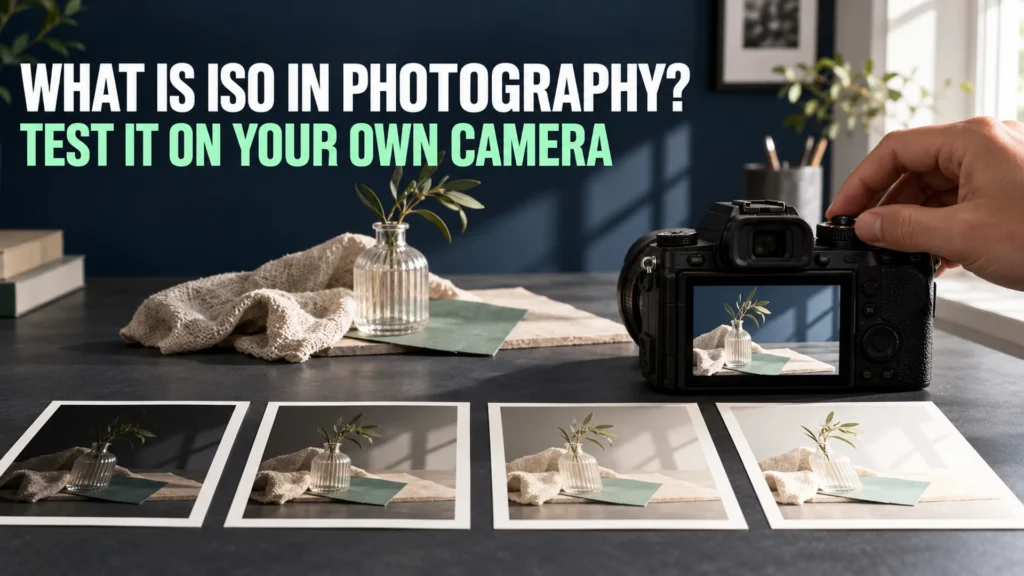
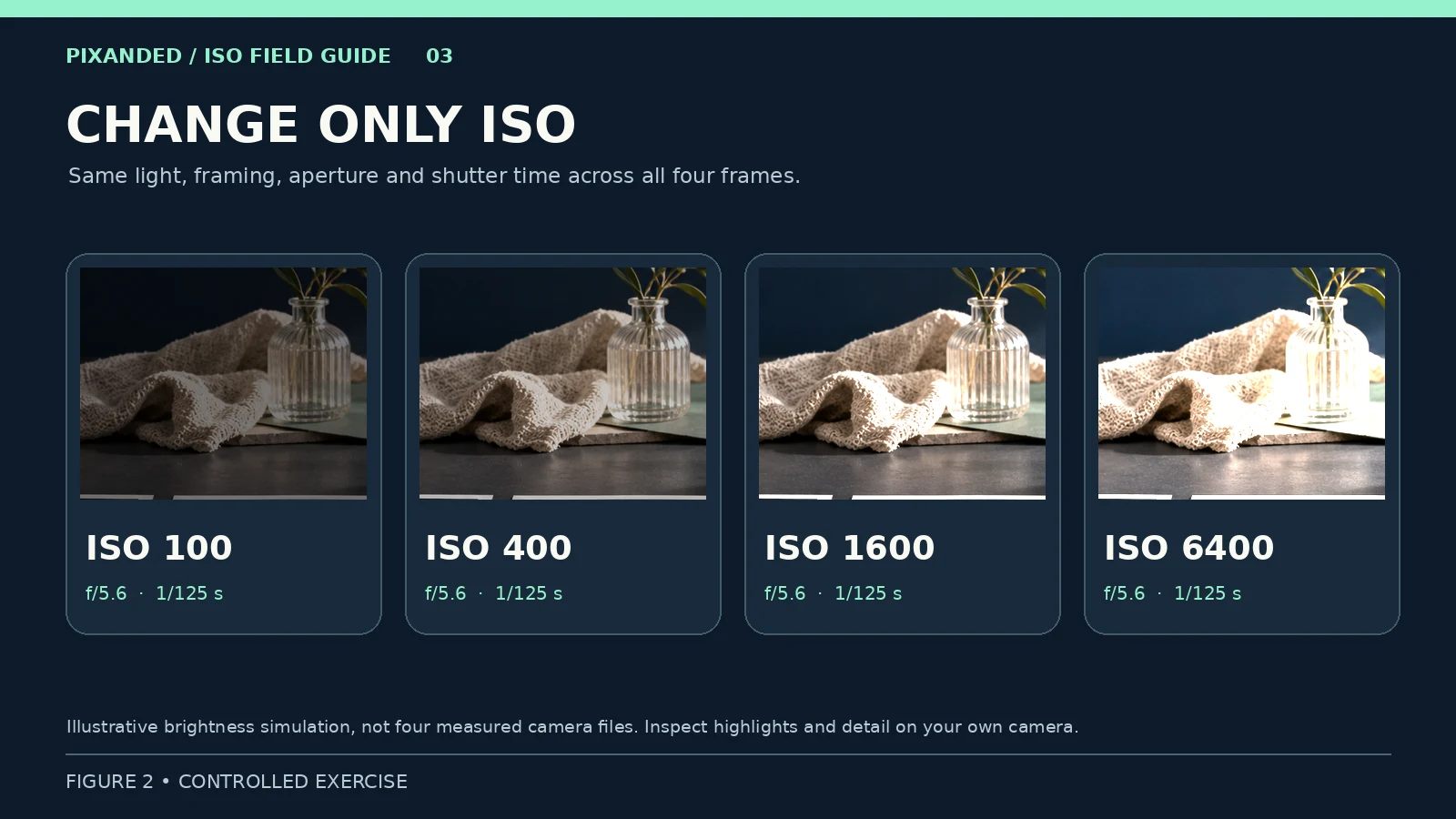
Choose a scene with a dark fabric, a textured object and a light area, such as a book and a dark jacket beside a window. Keep the light steady. Set the camera on a tripod or firm surface and keep its position fixed. If possible, turn off Auto ISO, use manual exposure, select a standard JPEG look, and leave noise reduction and white balance unchanged. A RAW+JPEG capture is useful if your camera supports it, but JPEG alone works for this test.
- Focus once on the same object. Set f/5.6 and 1/125 second, or use another aperture and shutter combination that gives a reasonable first frame at ISO 100.
- Photograph the scene at ISO 100, 400, 1600 and 6400, if available. Change only ISO. Do not let the camera’s automatic exposure compensation alter shutter speed or aperture.
- Review all four frames at the same display brightness. Watch how the image brightens, where bright areas lose detail, and whether colors or shadows change.
- View the files at normal size, then zoom into the same shadow and textured detail. Write down the highest setting whose result you would actually use for your intended output size.
| Frame | What stays fixed | What to inspect |
|---|---|---|
| ISO 100 | Light, framing, aperture, shutter | Baseline brightness and detail |
| ISO 400 | Same | Brighter rendering; first signs of clipped highlights |
| ISO 1600 | Same | Shadow texture, colors and highlight detail |
| ISO 6400 | Same | Whether the image is usable for your real output |
These fixed-setting frames isolate the camera’s ISO response, but they are not a fair contest of equal-brightness image quality. High-ISO frames may be overbright or clipped. The goal is to observe what the control does, then make a separate real-world decision about light, blur and noise.
If a phone or camera will not lock all three settings, use its manual/pro mode where available and note which values changed between frames. Otherwise, use the second exercise below in your usual mode and compare results without claiming you isolated ISO.
3. Choose ISO after the photograph’s other requirements
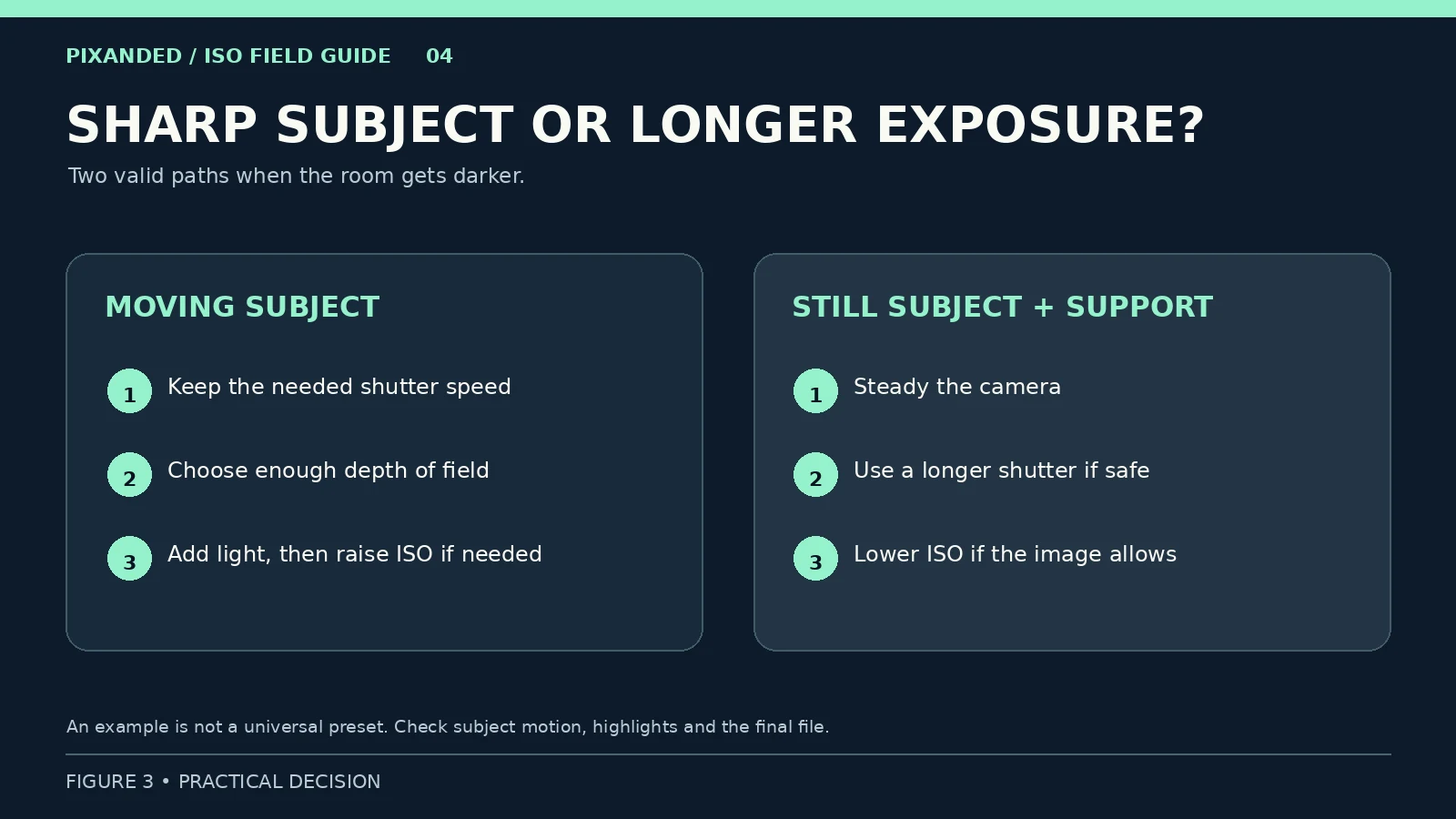
Start with the result you need. A still subject on a supported camera can tolerate a longer shutter exposure; a person walking through a dim room cannot. An open aperture admits more light but also reduces depth of field. Choose the shutter speed that controls your intended motion and an aperture that keeps the necessary parts in focus. Then use enough ISO to bring the scene to a workable exposure, while checking highlights.
Here is a hypothetical indoor example. You are photographing a bicycle mechanic’s hands at work. At f/4 and 1/250 second, ISO 400 makes the preview very dark. You might open to f/2.8 if the required detail remains in focus, add light with permission, or raise ISO until the exposure is workable. Dropping to 1/30 second may make a brighter frame at lower ISO, but the hands could blur. Keep the useful action photograph rather than an unusable “clean” frame.
For a stationary product detail, the decision changes. Support the camera, ask the subject to stay still if needed and lengthen the shutter exposure. That can collect more light at a lower ISO. Check for vibration, moving shadows or a subject that is not truly still.
| Situation | First question | Practical response |
|---|---|---|
| Bright outdoor scene | Are highlights clipping? | Use a suitable low ISO and adjust aperture/shutter for the intended look. |
| Dim room, moving person | Is the shutter fast enough to limit unwanted blur? | Keep a workable shutter, add light or open aperture if possible, then raise ISO as needed. |
| Static subject on a tripod | Can the shutter stay open longer? | Lengthen exposure while checking movement; ISO may remain lower. |
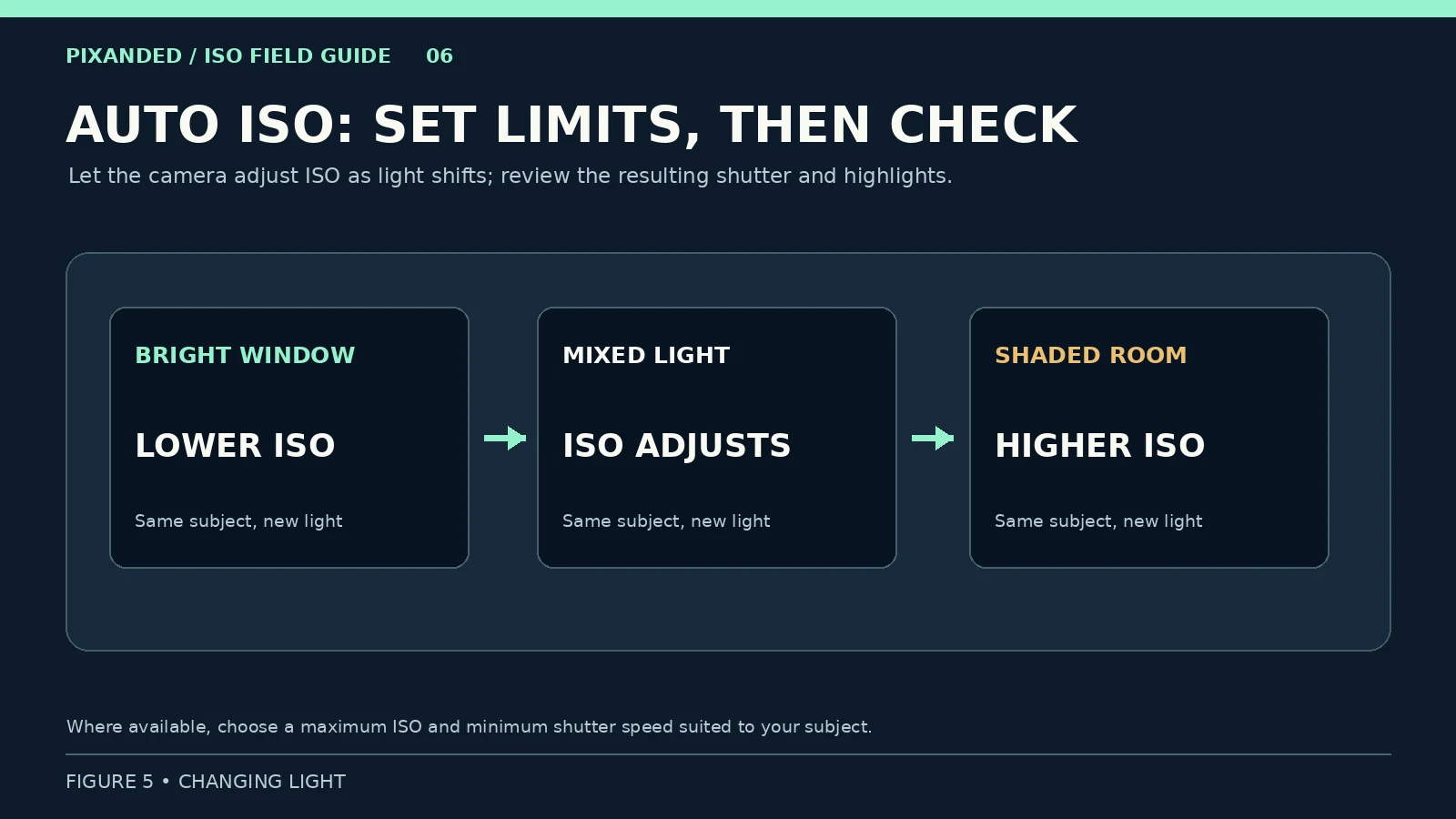
| Changing light | Can the camera keep the needed shutter and aperture? | Use Auto ISO with a suitable limit, then inspect the resulting files. |
The values in this table are decisions, not universal ISO prescriptions. An ISO 3200 file from one camera and workflow may look more useful than an ISO 800 file from another. Make a small test at the final display or print size before setting your own comfort limit.
4. Why high ISO and noise often appear together
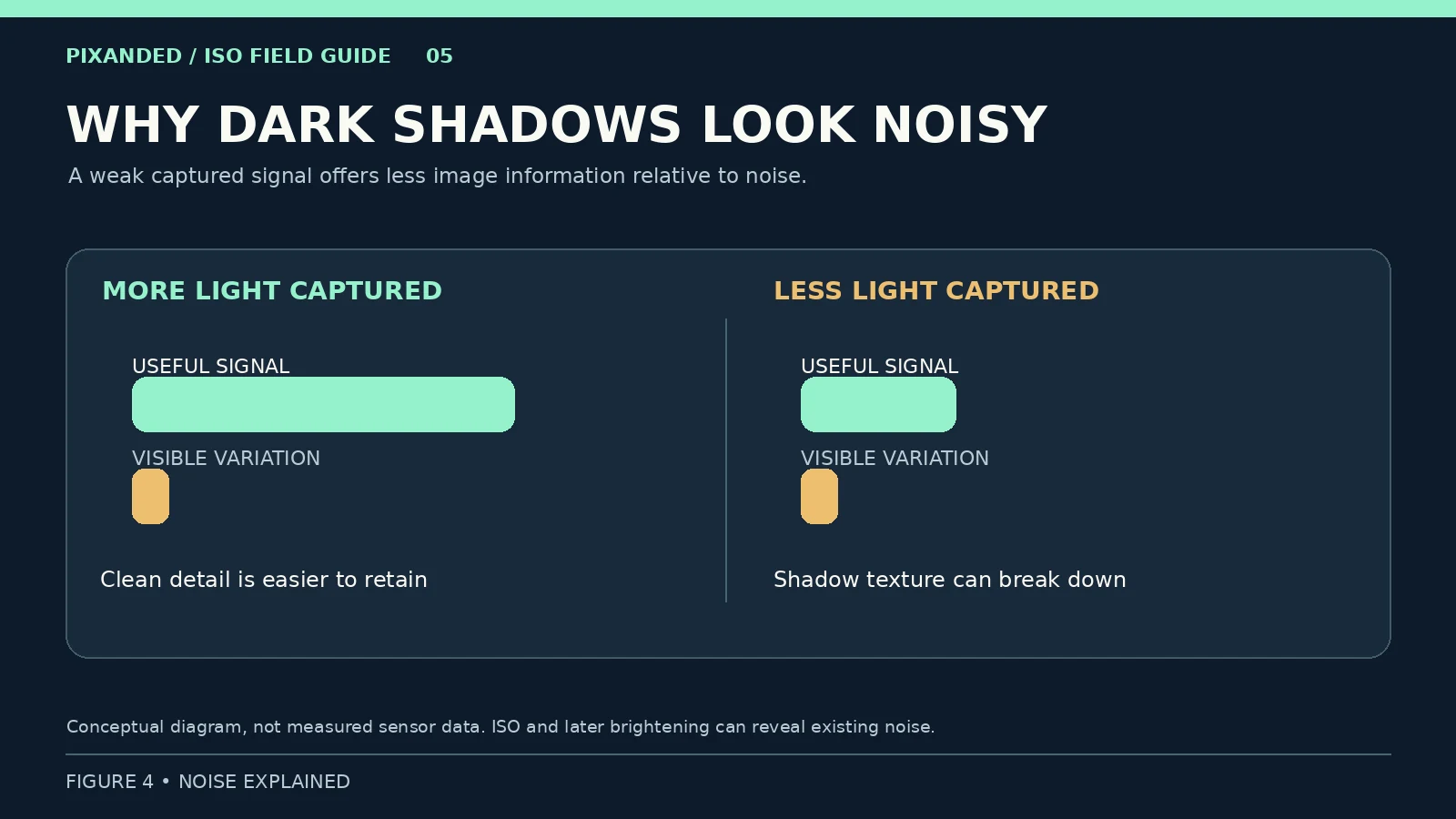
Digital noise can look like grainy brightness variation, colored speckles or a loss of fine detail after noise reduction. In a dark scene, fewer photons reach parts of the sensor and the useful image signal is weaker. Raising ISO often makes that weak signal and its noise more visible. Canon explains that brightening an underexposed file later can also reveal noise, especially in shadows. The amount you see depends on light, exposure, camera, processing and output size.
This is why “always use the lowest ISO” is poor advice when it forces a shutter speed that blurs your subject or leaves a file severely dark. Conversely, raising ISO cannot recover detail already lost to motion blur or blown highlights. If you can add appropriate light or safely use a longer exposure, do that; if motion matters, accept the ISO required for a usable image.
Compare at the size your audience will see. A small web image and a large print do not reveal the same amount of noise. For your own camera, photograph the kind of subject you actually shoot and decide how much texture is acceptable. Do not judge a camera from a single 100% crop taken in unusually poor light.
5. When Auto ISO helps
Auto ISO allows the camera to change ISO as light changes. On cameras with these controls, set an upper ISO limit based on your own test and a minimum shutter speed appropriate for the subject. Nikon describes both settings for its Auto ISO system; menu names and behavior vary by model. Some cameras will go beyond a chosen shutter threshold or respond differently with flash or in manual mode, so check your camera’s manual and the resulting shutter speed rather than assuming a setting guarantees a sharp photograph.
For example, while moving between a shaded workshop and a sunlit doorway, aperture priority with Auto ISO can reduce constant menu changes. If the mechanic starts moving quickly, inspect whether the chosen shutter remains fast enough. In manual exposure with Auto ISO, your chosen shutter and aperture can stay fixed while ISO changes, subject to the camera’s limits and metering. Watch the preview and highlight warning if your camera offers one.
You can also choose a fixed ISO. That is useful for the controlled test above and for a video take or consistent-light still series where you want the exposure to stay stable. Auto ISO is a convenience, not a requirement for beginners.
6. Apply the test to one real assignment
After the stationary test, photograph a short action in your usual light: a person turning a page, a hand using a tool, or someone walking. Ask permission where appropriate. Keep the framing and action similar for three attempts:
- Make a frame with a shutter speed fast enough to show the motion as intended. Choose an aperture that gives enough depth of field. Raise ISO until the subject is adequately exposed without sacrificing important highlights.
- Try a lower ISO while keeping shutter and aperture fixed. Note if the file becomes dark; compare a careful edit at the same final brightness with the first image.
- Try a slower shutter and lower ISO, if safe. Compare the cleaner-looking shadows against any unwanted motion blur. For a static subject, repeat on a stable support.
Record the light, aperture, shutter, ISO, subject movement and the file you would deliver. A one-line conclusion such as “for moving hands in this room, 1/250 second and ISO 3200 beat a blurred 1/60 second at ISO 800” teaches more than memorizing an ISO chart. Those figures are an example of a possible observation, not a universal threshold.
7. Common ISO mistakes and how to correct them
Treating ISO as extra light. A brighter preview after raising ISO does not mean more photons reached the sensor. Change lighting, aperture or shutter time when you need more captured light and those changes fit the photograph.
Locking ISO 100 in every situation. Review the resulting shutter speed and brightness. Raise ISO when the alternative is unwanted subject blur or a severely dark file.
Assuming high ISO always ruins the photo. Inspect your own output. The subject, exposure, editing and viewing size all matter.
Judging a test with changing settings. If aperture, shutter, light or a camera’s automatic processing changes, record those changes. You can still compare finished results, but do not attribute every difference to ISO alone.
Ignoring blown highlights. Higher output brightness can push bright areas to white. Check the histogram or highlight warning and adjust exposure when an important highlight loses detail.
What is ISO in photography in simple terms?
ISO is a camera setting that changes the amplification and rendered brightness of the captured light signal. Aperture and shutter time determine how much light is collected. In automatic modes, the camera may also change those controls when ISO changes.
Does a higher ISO always create more noise?
High ISO often makes noise more visible in low light, but the result depends on the light captured, camera and processing. Lifting a dark low-ISO file can reveal noise too. Compare images at similar final brightness and intended output size.
What ISO should a beginner use indoors?
There is no indoor number that fits every room or subject. Choose a shutter speed that keeps the subject as sharp as you need, an aperture that gives enough depth of field, and then raise ISO enough for a usable exposure. Test your camera to decide what quality is acceptable.
Is Auto ISO good for beginners?
Yes, especially in changing light. If your camera allows it, set a maximum ISO based on your tests and a minimum shutter speed suited to subject motion. Check the files, because camera behavior and menu options vary.
Is ISO 100 always the best image quality?
A low base ISO often offers useful highlight headroom when enough light is available, but a sharp, properly exposed higher-ISO photograph can be better for the intended purpose than a blurred or severely underexposed ISO 100 frame. Some cameras have a different base ISO in certain modes; use the camera’s manual.
Your next photograph
Make the four-frame stationary test and one moving-subject comparison. Keep the files and a short note about why you chose the final frame. Then revisit your own ISO limit for the subjects you actually photograph. If you are choosing a first camera, the beginner camera guide explains how to assess the whole kit; this ISO exercise helps you learn with the equipment already in your hands.
Editorial note: Camera menus and noise processing differ by model. Test the settings on your own equipment; the illustrative examples are not promises of a particular image quality.
If you buy through this link, Pixanded may earn a commission at no extra cost to you.