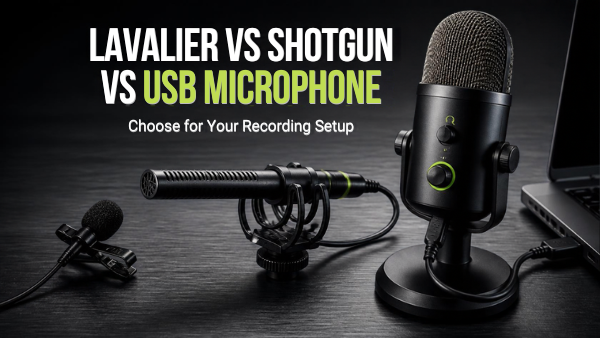
The choice between a lavalier vs shotgun vs USB microphone starts with a distinction: those labels do not describe three mutually exclusive categories.
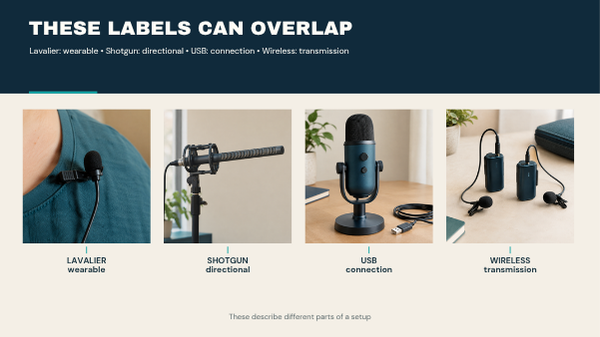
A lavalier is a small microphone designed to be worn near the speaker. A shotgun is a directional microphone design. USB describes a digital connection to a compatible device. A shotgun can also offer USB, and a lavalier may connect through a wireless system or another interface.
Choose around the recording task, microphone position and complete connection path. This guide helps you narrow the setup without pretending that one microphone is best for every creator.
Table of Contents
1. Understand what the labels describe
| Label | What it mainly describes | What it does not establish |
|---|---|---|
| Lavalier | A small wearable microphone and its placement | Connector compatibility or whether it is wired or wireless |
| Shotgun | A directional microphone design | A fixed connection type or freedom from room noise |
| USB | A digital connection | Pickup pattern, microphone position or compatibility with every device |
| Wireless | A transmission link | The microphone’s pickup pattern or the quality of the saved recording |
A wearable lavalier can feed a transmitter, which sends audio to a receiver connected to a camera. A USB microphone can record directly into a supported computer app. Some directional on-camera microphones offer both analog and USB routes.
The RØDE VideoMic NTG product page documents one example with both 3.5 mm and USB connections. This illustrates overlapping labels, not a claim that you need that model.
2. Consider a lavalier when the speaker moves
A lavalier stays near the person as they turn or move through a scene. That can make it useful for a walking presentation, an on-camera demonstration or an interview where a visible clip is acceptable.
Its practical questions are often about mounting and the route to the recorder:
- Can the person wear it comfortably?
- Will clothing or jewellery touch the capsule?
- Can the cable be secured without restricting movement?
- Does the connector match the intended device or transmitter?
- Can you monitor the recording and power the full setup?
Small does not mean inaudible on camera, and hidden mounting does not guarantee clean sound. Test normal movement with the actual clothing.
A lavalier is not necessarily wireless. Wired setups may suit stationary work; wireless setups add transmitters, receivers, batteries and connection checks.
3. Check lavalier connectors before buying
Similar-looking plugs can have different wiring and compatibility requirements.
The RØDE lavalier comparison chart lists models with TRS, TRRS and other connections. For example, it distinguishes the TRS Lavalier GO from the TRRS smartLav+. That difference matters when checking a camera, phone or transmitter.
Do not assume that a generic adapter will solve every mismatch. Read the microphone and recording-device documentation together. Check signal type, required power and any supported adapter.
If you use a phone, check the exact phone model, operating system, app and digital adapter requirements. A USB-C socket alone does not tell you that an accessory will record correctly.
4. Consider a shotgun when you can aim it well
A shotgun microphone is directional. A useful position might be on a boom close to a seated speaker, outside the video frame and aimed appropriately.
It can also mount on a camera for mobile work. That position is convenient, but the camera may be too far from the speaker for the sound you want.
Think of directionality as one part of the setup. It does not turn a distant microphone into a close microphone or erase the reflections in a hard room.
RØDE’s shotgun-microphone guide discusses different mounting and output options. Check the individual model rather than assuming all shotgun microphones need the same power or connections.
For a stationary indoor interview, consider whether a suitable close boom microphone is practical at all. The right solution may involve a different directional design, a lavalier or a quieter room.
5. Consider USB for a compatible desk setup
A USB microphone can simplify computer recording by integrating a digital recording route. It can suit a voice-over, remote interview or desk presentation where you can place the microphone near the speaker.
It still needs a suitable position. A microphone beside the keyboard at the far edge of the desk may record more room sound and typing than a correctly positioned microphone.
Check:
- Supported computer or mobile platforms.
- The required cable and any adapter.
- Whether your app can select the microphone.
- Available headphone monitoring.
- Controls for gain and monitoring.
- How you will mount it for the intended posture.
The RØDE NT-USB Mini product page is one documented example of a USB microphone with headphone monitoring. Features differ across models.
USB does not mean “no accessories needed.” A useful stand, arm, pop filter, cable or adapter may still be part of your setup.
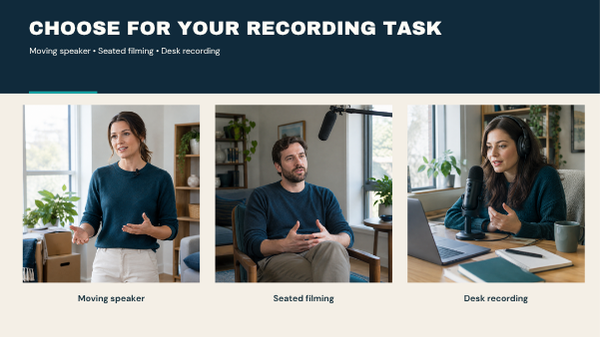
6. Match the setup to the recording task
| Recording task | Setup worth investigating | Main practical check |
|---|---|---|
| Person walking or demonstrating | Wearable lavalier setup | Clothing noise, movement and the complete connection |
| Seated interview filmed in one place | Close boom microphone or lavalier | Placement, room sound and natural head movement |
| Voice-over at a computer | Compatible USB microphone or an existing mic/interface | App input selection and useful desk positioning |
| Two-person conversation | A setup designed for two speakers | Separate levels, channels and consistent distances |
| Quick filming while moving | Appropriate on-camera or wearable setup | Whether the voice stays usable at actual filming distances |
These are task-based starting points, not automatic product recommendations. If you already own suitable equipment, test it in the planned position before replacing it.
For filmed desk presentations, also plan the picture using Camera Settings for YouTube Videos. Judge the audio through a saved-file test rather than from a microphone’s category name.
7. Budget for the whole route
The microphone’s sticker price is only part of the setup.
| Possible item | Why it may matter |
|---|---|
| Compatible cable or adapter | Connects the signal correctly |
| Stand, arm or boom | Keeps the microphone in a useful position |
| Clip, mount or shockmount | Controls handling and placement |
| Headphones | Allow you to hear rustle, noise and distortion |
| Wind protection | Helps address airflow at the microphone outdoors |
| Interface or recorder | Provides a compatible recording input and, where required, power |
| Batteries or charging | Keeps active devices operating |
| Storage and backup | Protects the saved recording |
Not every setup needs every item. Make a list from the actual device manuals and production plan.
For an XLR microphone, confirm whether the chosen interface or recorder provides the required power. For an analog camera microphone, confirm the camera’s input and the microphone’s power requirements. Avoid treating phantom power and small-device plug-in power as interchangeable.
8. Use a compatibility checklist with actual model names
Before ordering, complete this list:
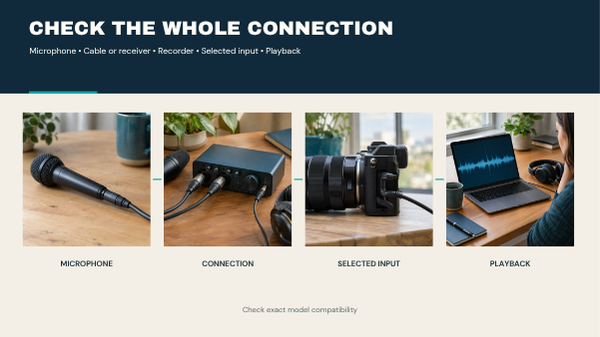
- Microphone: exact model and output connection.
- Destination: exact camera, recorder, computer or phone.
- Route: cable, receiver or interface connecting them.
- Power: how each active component is powered.
- App or recording mode: where you select the input.
- Monitoring: how you will hear the captured audio.
- Mounting: where the microphone will sit during the task.
- Accessories: items required but not included.
If a detail is unclear, verify it with the manufacturer or supplier before buying. A specification saying “works with cameras” is less useful than confirming your camera and the correct connection.
9. Run a test that represents your work
This is a proposed evaluation method, not a hands-on product review.
Record a short passage in the room or location where you expect to work. Include natural movement, louder speech and a pause.
Listen to the saved file at a comfortable level. Ask:
- Is the voice easy to understand?
- Does turning or moving change the sound too much?
- Can you hear clothing, keyboard or handling noise?
- Is the room more prominent than you want?
- Can you operate and monitor the setup without disrupting the task?
If comparing setups, use the same speaker and passage, and match playback levels approximately. Record the differences you hear without presenting invented measurements.
A useful setup is one you can place, connect, monitor and repeat reliably.
10. Three hypothetical choices
Walking demonstration: a creator needs both hands free and moves within a permitted location. They investigate a wearable setup, check the intended recording route and rehearse clothing and movement.
Seated interview: a creator can place a stable stand close to the interviewee. They compare a close boom position with a visible lavalier in the actual room before choosing.
Desk voice-over: a creator records into a computer. They investigate a compatible USB microphone and useful mount, then confirm that the app captures its input rather than the laptop microphone.
None of these examples selects a universal winner. Each starts with a different production constraint.
Frequently asked questions
Is USB a microphone type?
It describes a connection. USB microphones can have different capsule designs and pickup patterns.
Is a lavalier always wireless?
No. A lavalier can connect through a cable or a compatible wireless system.
Does a shotgun microphone eliminate background noise?
No. Directionality can help with some unwanted sound, but distance, aiming and the room still matter.
Can I plug any USB microphone into my camera?
Do not assume so. Check whether the exact camera supports that microphone and recording route.
Should I buy a microphone before headphones?
Plan the whole setup. Monitoring is valuable because it lets you hear problems that a level meter does not reveal.
Which is best for a beginner?
Choose the simplest compatible setup that fits your real task and lets you keep the microphone close, check levels and hear the saved recording.
Use the task to choose placement, use the manuals to confirm compatibility and use a short recording to evaluate the result. That sequence gives you a clearer purchase decision than a category label alone.