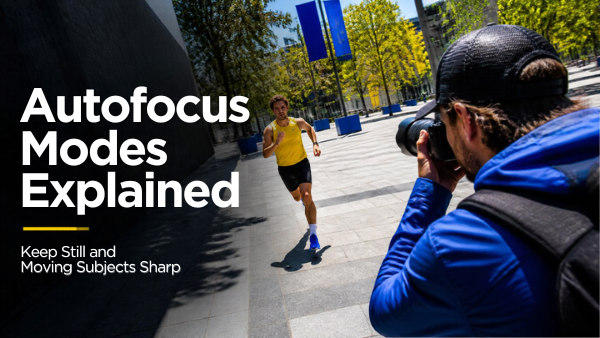
A photo can be correctly exposed and still miss the moment because the camera focused behind the subject. Understanding autofocus modes helps you decide whether focus should lock once or keep updating as the distance changes.
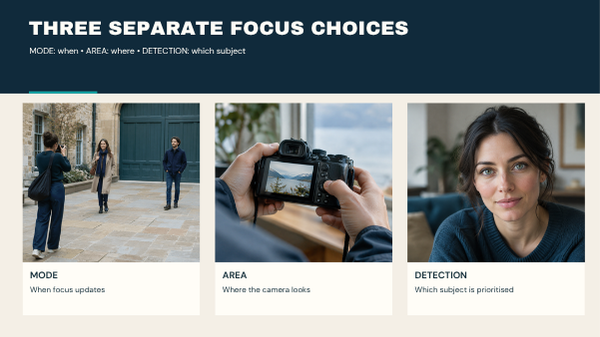
Start with three separate questions: When should focus update? Where should the camera look? Which subject should it recognise? Those questions lead to the focus mode, focus area and subject-detection settings. They work together, but changing one does not automatically solve the others.
This guide explains the choices and gives you a practical exercise you can repeat with your own camera. Menu names and available combinations depend on the model, lens and shooting mode.
Table of Contents
1. Separate focus mode, area and detection
The focus mode controls the behaviour of focusing over time. The area tells the camera which part of the frame to use. Detection helps it identify a supported subject, such as a person or eye.
| Control | Question it answers | Example |
|---|---|---|
| Focus mode | Does focus lock or keep updating? | Single AF or continuous AF |
| Focus area | Where should the camera look? | One point, a zone or a wider area |
| Subject detection | What should the camera recognise? | Human eye detection, if supported |
You might combine continuous AF with a small tracking zone and human detection for a walking portrait. For a stationary object, you might use single AF with a point placed directly on the important detail.
The Nikon Z6III focus guide documents these as separate controls and restricts some combinations to particular modes. Treat it as a model-specific example, rather than instructions for every Nikon camera.
2. Use single autofocus when the distance stays still
Single autofocus acquires focus, then holds it while the configured focus control remains engaged. This is useful for a product, building detail or cooperative subject whose distance from the camera stays stable.
A simple starting process is:
- Choose single AF.
- Place a point or suitable small area over the detail you want sharp.
- Activate focus and wait for confirmation.
- Take the picture without changing the camera-to-subject distance.
- Inspect the important detail in playback.
Canon calls this One-Shot AF on the EOS R50. Its official AF-operation manual describes focus locking with a half-press of the shutter.
If your subject leans forward after focus locks, acquire focus again. A locked distance is only useful while it remains the right distance.
3. Use continuous autofocus when the distance changes
Continuous autofocus keeps attempting to update focus while its activation control is engaged. Consider it when a person walks towards you, an animal changes position or your own movement changes the distance.
Keep the chosen area on the subject, allow the system time to acquire it and follow the action. Continuous AF is a way to update focus; it is not a promise that every frame will be sharp.
Canon uses Servo AF on the R50. Sony and Nikon commonly use AF-C for continuous autofocus and AF-S for single autofocus. The Sony α6100 autofocus tutorial explains its own modes and area options. Check your camera manual for the exact names.
A person posing for a portrait can still sway. Choose the mode around actual movement, rather than deciding that all portraits require single AF.
4. Choose a focus area you can control
A smaller area gives you a more specific target. A wider area can be easier to keep over an unpredictable subject, but may include distractions.
Start with a point or small zone when you know precisely which detail matters. Consider a larger zone or supported tracking area when keeping a tiny point on the subject becomes difficult.
| Situation | Useful starting choice | What to check |
|---|---|---|
| Stationary product detail | Single AF and a selected point | The point sits on the intended detail |
| Adult walking towards the camera | Continuous AF and a manageable zone | Focus stays on the person, not the background |
| Two people at different distances | Select the intended person or eye | The camera has not chosen the nearer bystander |
| Subject behind a foreground object | A more restricted area or manual focus | The foreground object is not winning focus |
These are starting choices for practice. Available settings differ, and a simpler area can sometimes give you more dependable control than a sophisticated automatic selection.
5. Use eye detection, then check what it selected
Eye detection can help place focus on an eye when your camera supports the subject and the selected area. Watch the active indicator rather than assuming that any face box means the intended eye is in focus.
When two people are visible, confirm which person is selected. If the system chooses someone else, use your camera’s supported subject-selection control or restrict the area.
Detection may become less dependable when the subject is small, obscured or difficult to separate from the background. Be ready to select a conventional area instead.
6. Avoid losing focus when you recompose
Focusing and then changing the composition can work well for some scenes. It can also become fragile when the subject is close, depth of field is shallow or you move significantly after locking focus.
For a close portrait, try composing first and positioning the focus area on the intended eye. If the composition changes substantially, focus again.
Manual focus is another option when the subject and camera remain fixed. Magnify the intended detail if your camera supports it, make the adjustment, then return to the normal view. Focus peaking can be a useful aid, but inspect the recorded image rather than treating an outline as proof.
7. Diagnose softness before changing autofocus
Autofocus cannot freeze motion. If a subject moves during an exposure, a correctly focused image can still show a motion trail. Camera movement can also soften the entire frame.
| What you see | Possible cause | Next check |
|---|---|---|
| Background sharp, intended subject soft | Focus was acquired at the wrong distance | Area placement and selected subject |
| Directional streaks on a moving subject | Subject motion during exposure | Shutter speed and subject movement |
| Several stationary details smeared similarly | Camera movement | Support and shutter speed |
| One thin plane sharp, nearby details soft | Limited depth of field | Aperture, distance and intended sharp area |
| Focus repeatedly searches | An unsuitable target or difficult conditions | Contrast, light, distance and obstructions |
Use these observations to decide which variable to investigate. They are clues, not a diagnosis from a single thumbnail. For exposure controls, see What Is ISO in Photography?.

8. Run a repeatable autofocus modes exercise
This is a proposed practice exercise, not a reported Pixanded camera test.
Choose a safe, well-lit place and ask a consenting adult to help. Use the same camera, lens, focal length and approximate framing throughout. Pick exposure settings that make camera shake and subject motion unlikely to dominate the comparison.
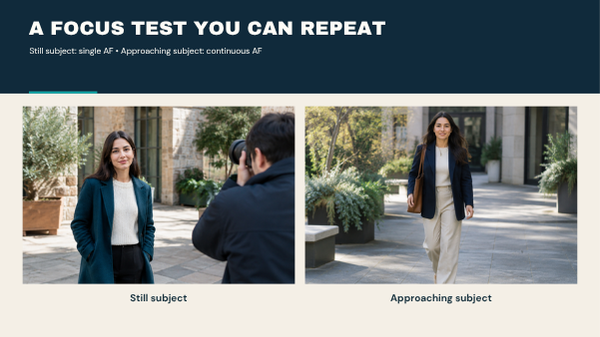
Round A: stationary subject. Make five photographs using single AF. Refocus before each photograph. Inspect the same important detail in every frame.
Round B: approaching subject. Ask the person to walk slowly towards you along a clear route. Use continuous AF and keep the chosen area on them. Make a short sequence.
Round C: repeat one change. If the camera repeatedly chooses the background, narrow the area and repeat. If the subject shows motion trails, investigate shutter speed before blaming focus.
Record what happened in plain language:
| Round | Mode and area | Observed problem | One change to try |
|---|---|---|---|
| A: still | Record your settings | Record your observation | Choose one adjustment |
| B: approaching | Record your settings | Record your observation | Choose one adjustment |
| C: repeat | Record the change | Compare with the earlier round | Keep or reject the change |
Review at a useful magnification. Do not compare one tiny preview with another and conclude that a camera has a particular success rate.
9. Check video behaviour separately
A camera may provide different focusing controls in video mode. A setting that works well for a photograph can create visible searching or an unwanted shift during a recorded clip.
For a stationary interview, rehearse natural leaning and gestures. Watch for focus moving to the background. If using manual focus, check that the person’s movement stays within the usable depth of field.
For a moving subject, record a short rehearsal and review the saved clip. Confirm both that focus follows the subject and that the transitions suit the shot. Consult your model’s video AF settings before changing speed or tracking sensitivity.
Frequently asked questions
Is continuous autofocus always better?
No. It is useful when the focus distance changes. Single AF can be simpler for a stable subject, and manual focus can suit a controlled fixed setup.
Are focus mode and focus area the same?
No. Mode controls how focusing behaves over time. Area controls where the camera looks.
Does eye detection guarantee a sharp portrait?
No. Confirm the selected eye and inspect the photograph. Motion, shallow depth of field and difficult detection conditions still matter.
Why is my moving subject blurry in AF-C?
The camera may have focused incorrectly, or the shutter may not have frozen movement. Check whether another distance is sharp or the subject shows a motion trail.
Can I use manual focus for video?
Yes, particularly when you can control distance and rehearse movement. Review a test clip before recording an important take.
Choose a mode for the movement, an area for the target and detection for the subject. Then inspect the result and change one variable at a time. That process is more useful than leaving every focus decision to a default setting.