
Product photos at home work best when the pictures answer real buying questions: what is the item, what does its surface look like, how large is it, and what will arrive? A clean background helps, but it cannot compensate for missing detail, inaccurate color or a misleading crop.
This guide follows a hypothetical shoot of one small navy glazed ceramic bowl. You can adapt the sequence to your own product: build a simple window-light setup, make a controlled test, capture the views buyers need, and check the exported files where they will actually appear.
Table of Contents
1. Define the pictures you need before setting up
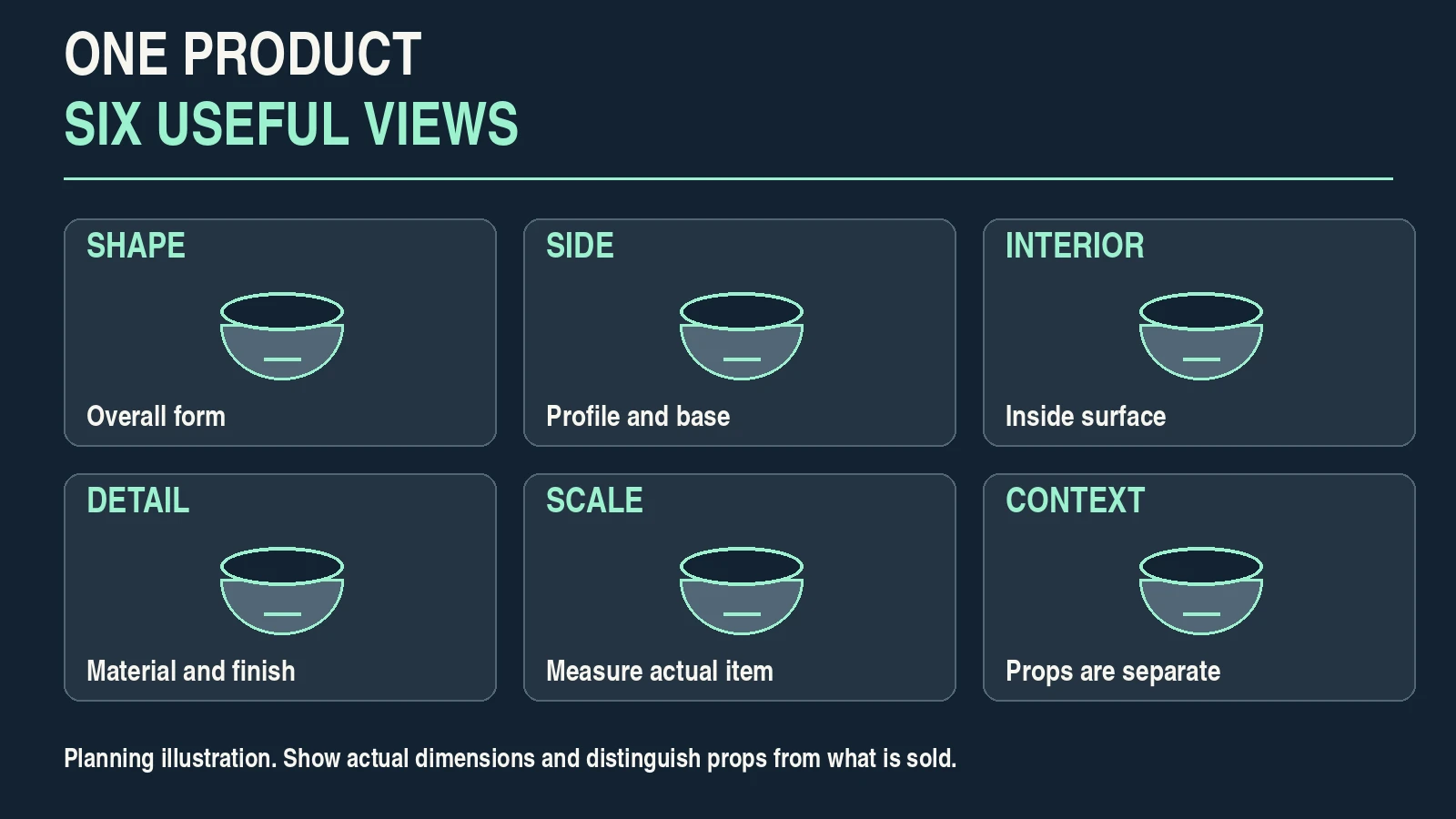
Write a brief before choosing equipment. For the bowl, the first picture should show the whole shape clearly. Supporting images should reveal the profile, interior, glaze, measured size and use. If the bowl has a handmade irregularity, show it rather than smoothing it away.
Check your intended destination before shooting. A shop listing, a square social post and a wide website banner may need different framing. Leave enough room for the likely crops, but keep the product large enough to read at thumbnail size. Do not assume one export will suit every placement.
Separate product-only pictures from context images. Product-only views make the item easier to inspect; a context picture explains how it fits into a setting. Adobe’s product photography guide discusses both approaches. Your brief determines which is useful.
If you are preparing this as a paid assignment, agree on the shot list, usage and delivery before quoting. Pixanded’s beginner photography-pricing guide explains how to include the whole job.
For this example, the deliverable is six truthful views of one bowl, with a simple background and consistent color. A spoon or napkin in a context picture is a prop, so the listing must make clear whether it is included.
2. Build a simple window-light setup
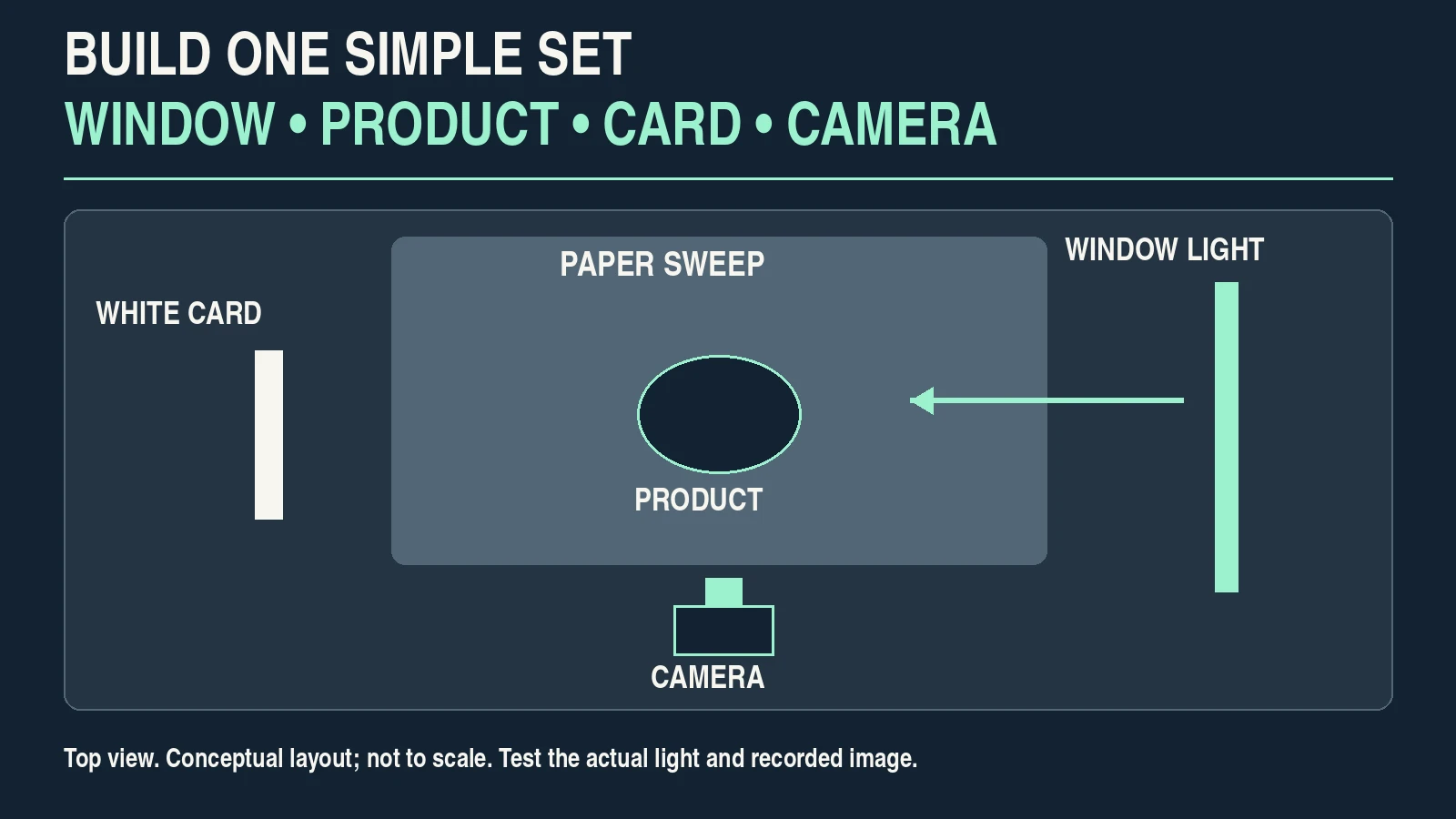
Start with a stable table near a window, a plain background, your phone or camera, and a white card. Secure the background so it curves gently from vertical to horizontal; this sweep reduces the visible corner behind the product. Keep the item safely away from the table edge and secure supports without obstructing walkways.
Place the bowl with the window to one side. Look at the light on the bowl, not just the brightness of the room. A broad patch of window light can create readable shape and gentle transitions. Direct sun can produce harder shadows and brighter reflections. Move the table or wait for different conditions if those effects obscure the product.
Place a white card on the opposite side to return some light into the shadow. Move it closer or farther while checking a photograph. More fill is not automatically better: excessive fill can flatten the shape. A dark card may help define an edge on a reflective object, but test its effect before adopting it.
Shopify’s home product-photography instructions provide a useful starting kit and window/table arrangement. The arrangement is a starting point, not a universal setting for every material.
Turn off unrelated room lights where practical so the subject is not receiving strongly different light colors. Keep the camera position stable with a suitable support. Window light changes as the sun and clouds move; complete related views in a manageable session and check consistency as you go. If you need identical results across many days, evaluate a controllable lighting setup.
3. Set focus, exposure and color for the actual item
Clean the lens, remove distracting dust from the product and make a test picture. Confirm that important edges and surface detail are in focus. On a phone, tap the relevant part of the item and use exposure or focus lock if your camera app supports it. Check the saved image because computational processing can change its appearance.
With an interchangeable-lens camera, choose an aperture that keeps the required depth sharp and inspect the result. There is no single correct f-number for every product, lens and camera distance. A stable subject and support may allow a longer exposure, but check for vibration. If fine detail stays soft, identify whether focus, movement, depth of field or the lens’s close-focus limit is responsible.
Watch the product’s bright areas. A small reflective highlight can describe glaze; a large featureless white patch may hide it. If the product is too bright, reduce exposure and check the shadows as well. A pure white background should not be achieved by destroying detail in the item.
Set or correct white balance using an appropriate neutral reference under the actual subject light. Ordinary white paper is not necessarily neutral. Adobe’s white-balance guide explains how lighting affects color. A neutral reference helps remove a cast, but it does not guarantee perfect reproduction of every material on every screen.
Compare the picture with the actual bowl under suitable viewing conditions. If the navy glaze looks dramatically brighter, more saturated or a different hue, investigate lighting and processing before applying a creative look.
4. Shape reflections with a controlled test
Reflective products show parts of their surroundings. The goal is to make the surface understandable while preserving its real appearance. For a glossy bowl, a controlled bright reflection can communicate the curve and finish; removing all reflections can make the material look different.
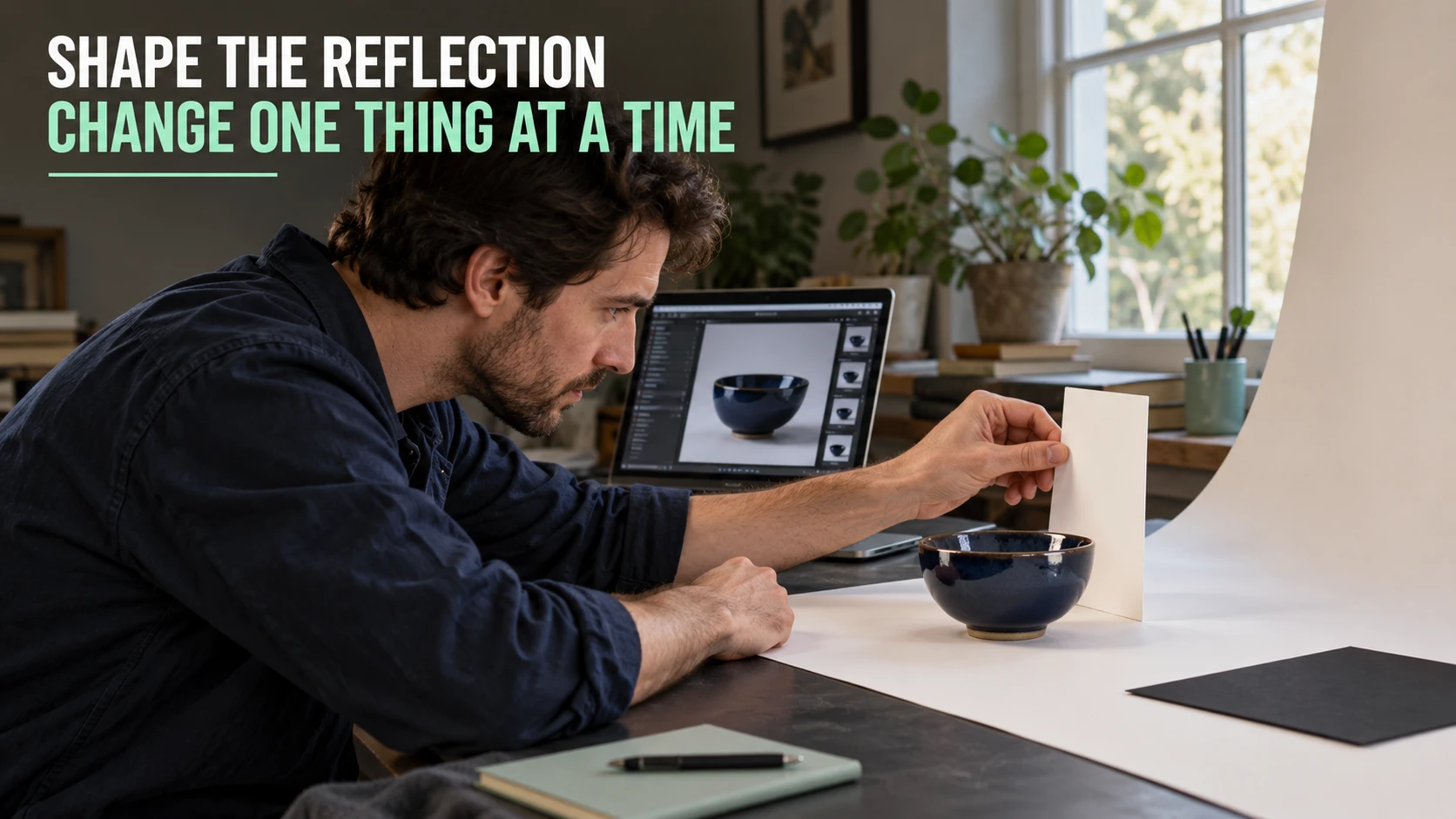
Keep the camera and bowl still. Capture one baseline picture. Move only the white card, capture another, and compare the glaze, edge definition and shadow. Then return to the baseline before testing a small change in camera or product angle. Changing several things at once makes it difficult to know what helped.
Use a note such as “card nearer: lighter left side; rim reflection wider.” These are observations from your own files, not preset rules. If the reflection hides a distinguishing mark, change the arrangement and capture it again.
Shopify’s reflective-product lighting guide offers examples of controlling what a reflective surface sees. Glass, polished metal and glazed ceramics can require different arrangements. Do not alter the item’s finish merely to imitate a lighting example.
5. Capture six useful views
Work through a shot plan rather than taking many nearly identical pictures. Rotate the product deliberately, keep track of the view and check each file before moving on. The following plan is for the hypothetical bowl; a garment, electronic accessory or food product needs different details.
| View | Buying question | What to check |
|---|---|---|
| Overall shape | What is the item? | Whole silhouette, clear rim and an unobstructed main view. |
| Side and base | How is it formed? | Profile, foot and any relevant underside feature. |
| Interior | What does the inside look like? | Interior finish and depth visible without a misleading angle. |
| Material detail | What is the surface like? | Sharp glaze texture and truthful variation or wear. |
| Measured scale | How large is it? | Actual dimensions, a readable measuring reference and clear units. |
| Context | How might it be used? | Believable use; props clearly distinguished from the sold item. |
For a detail picture, move within the lens’s focusing range and inspect sharpness. Filling the frame with a blurred surface is not useful. If a dedicated close-focus mode changes the rendering, compare it with a normal capture rather than accepting it automatically.
For scale, measure the actual item and state the dimensions in the listing. A hand or spoon can provide context but is an imprecise size reference. Avoid wide-angle perspective that exaggerates the nearest edge. If you move farther away to change perspective, maintain adequate detail in the resulting file.
Photograph the actual variant being sold. A representative image should be identified as such when individual items vary. Keep proof of relevant identifying details in your original files.
6. Review and reshoot before dismantling the set
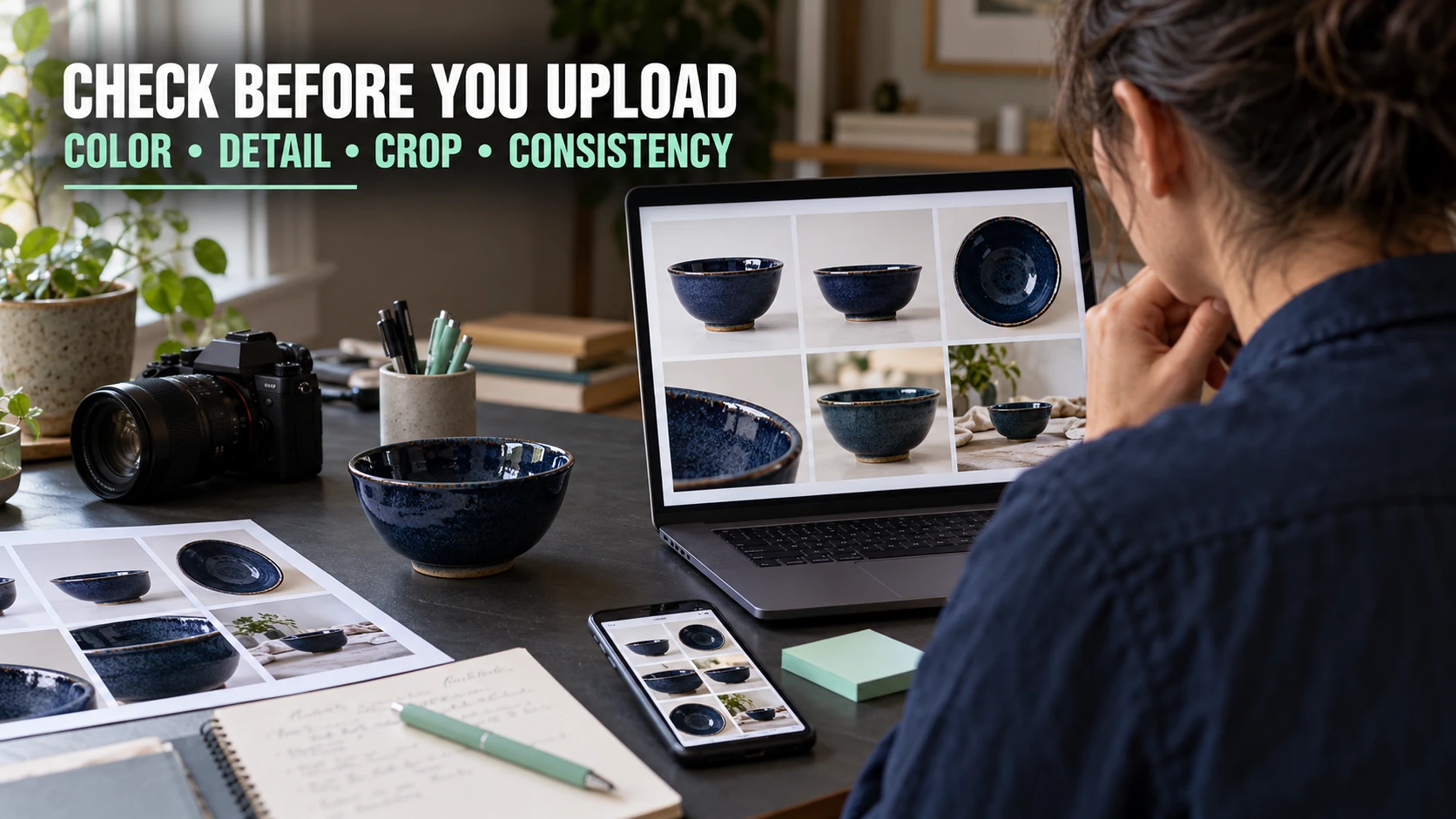
Inspect the saved pictures at a useful zoom and at a small thumbnail size. A shot can look attractive on a large display while failing to explain the product in a search result. Check that the sequence answers the brief without relying on the title to explain every frame.
| Problem | First check | Useful next test |
|---|---|---|
| Fine detail is soft | Focus point, movement and close-focus distance. | Stabilize, refocus and capture again; compare at the same zoom. |
| Glaze detail disappears | Exposure and the size or position of the reflection. | Change exposure or one lighting angle, then inspect the surface. |
| Color changes between views | Window conditions, mixed light and automatic processing. | Use a reference and consistent controls; reshoot an inconsistent view. |
| Background has a distracting corner | Sweep shape and camera angle. | Adjust the background safely and photograph again. |
| Item looks distorted | Camera distance and viewpoint. | Increase distance if practical, reframe and compare proportions. |
| Main image is unclear when small | Subject size, angle and competing props. | Simplify the frame and preview the actual thumbnail. |
Reshooting is often the simplest correction for missing focus or a reflection that covers a feature. Editing cannot reliably reconstruct detail that was never recorded. Keep the setup intact until you have checked the required views.
7. Edit without changing the product’s facts
Begin with restrained exposure, white-balance and crop adjustments. Apply consistent corrections to the related views, then inspect each separately. A batch adjustment can fail when one frame has different light or reflections.
Remove a temporary dust speck if it does not represent the item’s condition. Do not erase scratches, wear, handmade variation or other material characteristics that a buyer would reasonably expect to see. If the product is used, show relevant condition clearly and describe it in the listing.
Keep the navy bowl navy. Strong saturation, skin-oriented filters or a dramatic color grade may make a product image attractive while making it less accurate. Compare the edited image with the object and the reference capture. A phone and laptop comparison can reveal obvious differences, but two screens agreeing does not prove color accuracy.
Save the original files and an editable working version before exporting. Name views clearly, such as bowl-overall, bowl-interior and bowl-glaze-detail. Keep the capture date, variant and measurements with the shoot record so later revisions do not mix up products.
8. Export for the destination and preview the crop
Use the destination’s current image requirements. Preserve a sufficiently detailed original, then export a copy in a supported format and color space. Increasing the pixel count of a small blurry file does not restore the missing detail.
For example, Etsy currently recommends listing images at least 2,000 pixels in both width and height and recommends a landscape or square first image. Its official image requirements also explain sRGB and thumbnail adjustments. These are Etsy-specific recommendations checked on October 1, 2026; other destinations can differ and requirements can change.
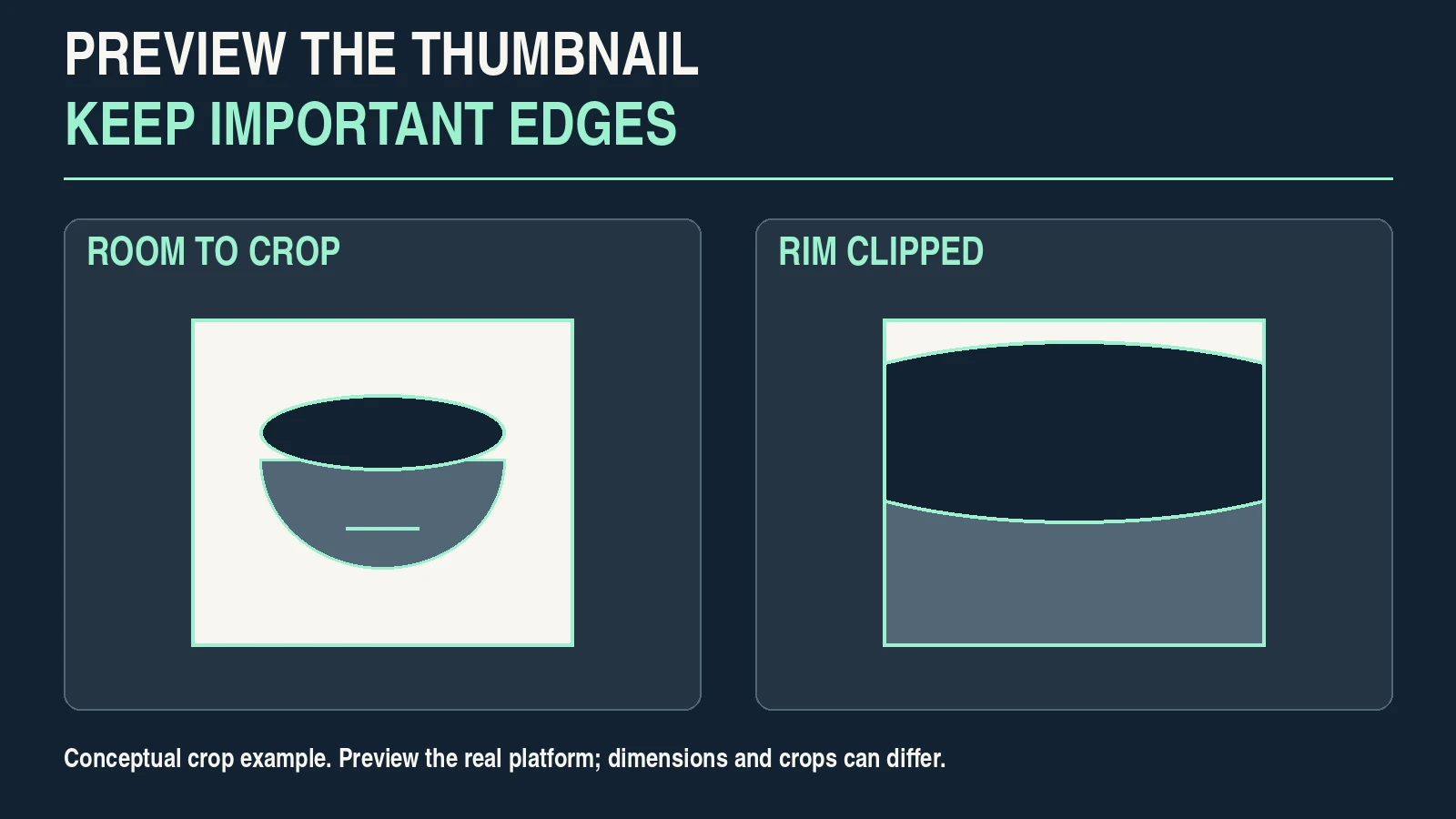
Upload a test or preview the placement before accepting the export. Check the first image in the actual thumbnail tool, on a phone and in the full gallery. Keep the rim and other important edges clear of the crop. If a required crop removes useful information, export a different composition instead of forcing the same file everywhere.
| Export check | Pass condition | If it fails |
|---|---|---|
| Dimensions and format | Meets the destination’s current requirements. | Export again from the original in a supported format. |
| Color | No obvious unintended cast; intended color profile preserved. | Review the reference, adjustments and export settings. |
| Detail | Important texture and edges remain readable. | Reduce excessive compression or return to the capture. |
| Thumbnail | Product is identifiable and important edges remain visible. | Change crop or choose a stronger main view. |
| Gallery consistency | Same variant, coherent appearance and useful supporting views. | Replace the inconsistent or redundant file. |
| Truthfulness | Condition, scale and included items are represented accurately. | Reshoot, restore factual detail or clarify the description. |
The instructional images in this article are optimized blog illustrations, not ready-made listing photographs. Use your own product captures for selling.
9. Record the setup so the next shoot is easier
Once the files pass review, photograph the whole setup and write down the camera position, product position, window conditions, card placement and capture controls. Record the exported dimensions and the destination you checked.
Keep the notes specific enough to reproduce the arrangement. “Window on right, white card on left, no ceiling light” is more useful than “soft light.” Note what changed during the session and which file became the final main image.
A repeatable process is not a guarantee of identical light. Before the next batch, make a reference capture and compare it with the previous accepted result. Adjust the setup or choose controlled lighting if the variation exceeds what your shop can accept.
Your next practical step is one product and one complete set of useful views. Finish the sequence, check the files and document the setup before expanding your equipment list. Better results come from identifying and correcting an actual limitation.
Affiliate disclosure: These book links are affiliate links. Pixanded may earn a commission if you buy through them, at no additional cost to you.
Optional further reading: The Beginner’s Guide to Digital Photography and Cinematic Lighting for Beginners.
Frequently asked questions
Can I take product photos at home with a phone?
Yes, if it records the required detail and the lighting, focus and framing suit the product. Inspect the saved images and destination previews. A phone’s processing or close-focus limits can create problems that are easy to miss on the capture screen.
Do I need a white background?
Use the destination’s requirements and the picture’s purpose. A plain background can make product-only views easier to inspect, while a context image may need a setting. White is not a universal rule for every platform or every image.
What camera settings should I use?
Choose settings for the item, lens, distance, light and required depth of field. Make a test, inspect focus and bright surface detail, then adjust. A universal aperture, shutter speed or ISO cannot account for all those conditions.
How do I photograph a shiny product?
Control the surroundings reflected in the surface. Keep a baseline, change one card position or angle at a time and compare saved files. Preserve useful reflections that explain the finish while preventing large featureless highlights from hiding important detail.
Can editing fix an inaccurate product photo?
Editing can correct some exposure and color problems, but it cannot reliably restore missing focus or clipped surface detail. Reshoot when needed. Do not use retouching to hide condition or invent product characteristics.
How many pictures should a listing contain?
Use enough distinct views to answer the buyer’s questions within the platform’s limits. The six-view bowl plan is an example, not a mandatory number. Prioritize useful information over several nearly identical photographs.
These instructions are a practical starting workflow, not a claim of tested results or guaranteed sales. Adapt them to the actual item and verify your selling platform’s current requirements.